
Walk into the back office of any independent restaurant doing more than $1.5M in annual sales and you will see the same scene: a laptop with twelve browser tabs open, a binder of supplier invoices, WhatsApp threads with cooks and managers, and a printout of last week's bank statement covered in highlighter. The owner knows last week was busy. They are not entirely sure it was profitable.
The reason is not that they lack data. They have too much of it, in too many places, with no system that connects sales to costs to schedules to bank deposits to customer behaviour. They have tools. They do not have a tech stack.
A real restaurant tech stack is a set of seven layers that share one data model. When the stack is connected, a sale at 19:47 simultaneously updates inventory, fires a kitchen ticket, charges the card, reconciles the deposit, posts to the general ledger, and lifts that item's contribution margin in menu engineering reports the next morning. When it is not connected, that same sale produces five separate manual jobs someone has to do on Sunday morning instead of being with their kids.
This guide maps the seven layers, shows you how to score your own maturity in each one, and gives you a 90-day roadmap to close the biggest gap. The scorecard halfway down is the same diagnostic our deployment team runs on day one of every new account; it takes about five minutes and tells you which layer to invest in next.
What is a restaurant tech stack?
A tech stack is the collection of software and hardware your restaurant runs on, plus the integrations that let those tools share data automatically. The word "stack" is borrowed from software engineering: each layer depends on the one beneath it, and data flows up and down without anyone retyping it.
Most restaurants do not have a stack; they have a collection. The point of sale talks to the card processor and that is it. Inventory gets updated weekly from a spreadsheet. Reservations live in a shoebox app the host owns the login for. The bookkeeper closes the month four weeks late by hand-keying totals into QuickBooks. Each system is fine on its own, but nothing reconciles and the operator finds out about a margin problem six weeks after it started.
The cost of running a collection instead of a stack is what consultants call the "integration tax". In our onboarding data, the median independent spends about five hours a week on tasks that disappear once the stack is connected: copying sales totals between systems, matching deposits to settlements, retyping invoices into inventory, exporting CSVs for the accountant. Five hours a week at GM rate is roughly $13,000 a year, before counting the margin that leaks because nobody noticed food cost drifted up 2 points in March.
A connected stack erases the integration tax and replaces it with one closed loop. Sales feed COGS, COGS feeds the P&L, the P&L feeds next week's labor plan. The numbers reconcile because they were never apart.
The 7 layers of a modern restaurant tech stack
There is no industry-standard model for what counts as a restaurant tech stack. Different vendors slice the world into different shapes depending on what they happen to sell. The seven-layer model below is the one we settled on after building a platform that ships every layer ourselves, because we needed a vocabulary that worked for both a single-location pizza place and a regional group running fifteen sites with shared accounting.
Read it as a layer cake, bottom up. The lower layers are infrastructure: they have to exist before anything above them is useful. The upper layers are where you compete on guest experience and margin. Skip a lower layer and the upper ones cannot do their job.

Layer 1: Point of sale, the system of record
Your POS is the foundation. It is the single place where every sale is recorded, and it has to be the canonical source of truth for revenue. If your POS is a black box you only read at end of day, the rest of the stack has nothing to integrate against.
A modern POS in 2026 is cloud-based (survives a hardware failure, accessible from anywhere), terminal-agnostic (same software on iPad, Android, dedicated terminal, and handheld), and has an open API. If your current POS misses any of those three, the rest of this guide will be painful; every other layer will need a CSV import or a manual workaround. The EPOS systems guide covers why the on-prem-only setups many operators still run are actively holding them back.
The benchmark for layer 1 maturity is simple. At 10pm on a Tuesday, can you look at your phone and see today's revenue, comp percentage, void count, and which items oversold? If yes, layer 1 is doing its job. If you wait for the end-of-day email, layer 1 is undercooked.
Layer 2: Order entry and the front of house
Layer 2 is every surface a guest or server uses to put an order into layer 1: counter terminals, handhelds, kiosks, QR e-menus on the table, the takeaway window, and online ordering through your site or aggregators. Each is a channel, and all of them have to land in the same POS queue.
The classic failure is "channel drift". Dine-in tickets go straight into the POS, but the Uber Eats tablet sits next to the printer and the manager retypes orders during the rush. Phone orders get scribbled on notepads. By the end of the week nobody can tell you off-premise revenue without joining four reports in a spreadsheet. A unified order management system fixes this by collapsing every channel into one ticket queue with one source of truth on margin per channel.
The second failure here is over-staffing. Handhelds and QR ordering let one server cover more tables, and table turnover climbs 8 to 15 percent in most rollouts. If you have not measured the lift, you do not know which way layer 2 is moving your labor line. The POS with online ordering guide covers how to consolidate channels.
Layer 3: Kitchen display and the back of house
Once layer 2 sends a ticket, layer 3 routes it to the cooks. In 2026 there is no defensible reason to run a kitchen on paper: tickets melt, clip to the rail in the wrong order, and there is no way to track how long a station took. A kitchen display system replaces all of that with a screen at each station showing only its items, in firing order.
The dividend from a good KDS is not faster cooking; it is fewer mistakes, 10 to 20 percent shorter ticket times in our deployment data, and prep-time-per-dish measurement so you know which menu items become rush-time bottlenecks. The KDS guide covers multi-station routing; the back-of-house software piece covers the broader BOH category. Layer 3 maturity also includes cook-time tracking, prep pars pulled from yesterday's sales, and the link to inventory so 86'd items auto-disable on the menu.
Layer 4: Inventory and procurement
This is the layer most independents are weakest at, and it has the biggest margin lever. Layer 4 connects stock management (counting what is on the shelf) with procurement (ordering more before you run out) and recipe costing (knowing the dollar value of every plate before you sell it).
A connected layer 4 calculates food cost percentage automatically from sales x recipe every day, instead of from a count twice a month. The monthly count tells you food cost was 32 percent last month. The connected layer tells you it was 33.4 percent yesterday, and that the drift came from the wagyu burger because a supplier price went up six days ago and nobody updated the menu. That is the difference between knowing you have a problem and knowing what to fix.
Three reads worth doing before you choose vendors: inventory system overview for basics, FIFO and stock rotation for counting discipline, and SKU naming conventions for the data hygiene that makes the layer work. Sloppy SKUs are the single biggest reason inventory integrations fail post-launch.
Layer 5: Payments and finance operations
Layer 5 is the plumbing between the POS, the card networks, and the bank. Restaurant payments done right means three things: one settlement file per day that reconciles automatically to POS sales, next-business-day deposits, and tip and service-charge splits that calculate on the shift report without a spreadsheet.
The reason layer 5 matters more than it seems is the time it returns to the GM. A non-integrated setup forces someone to match Wednesday's deposit to Monday's POS sales, factoring float, chargebacks, and processor fees, and the spread never quite matches. Multiply by 365 days and a multi-location group burns a full FTE keeping the cash side of the P&L tied out. Connected, the deposit lands, the sales match, the GL posts.
Two points inside this layer worth singling out: service charge versus tips compliance is where most operators get audited (let the POS handle the calculation), and your card machine should be PCI compliant, EMV/contactless capable, and controlled by your processor of choice rather than locked to a specific POS vendor.
Layer 6: Accounting and analytics
Layer 6 turns the lower five layers into financial truth. Restaurant accounting done well closes daily, not monthly. The daily flash tells you sales, labor as a percent of sales, COGS as a percent of sales, and prime cost before bed; the weekly P&L pulls flashes into a real income statement; the monthly close becomes a reconciliation of what you already know.
The chart of accounts is the unsexy thing that makes or breaks layer 6. A restaurant-specific chart of accounts splits sales by daypart, COGS by category (food, beer, wine, spirits, NA bev), labor by FOH versus BOH versus management, and opex by occupancy versus controllable. With that structure, every report writes itself; without it, you produce a P&L the bank likes but that cannot answer the questions you actually need to ask.
The accounting software guide covers the vendor landscape (QuickBooks vs Xero vs restaurant-specific tools like R365 and ourselves) and when to graduate. For most independents under five locations, integrated accounting inside the POS platform beats a standalone tool on time-to-value.
Layer 7: Customer-facing and marketing
The top layer is everything a guest touches outside the meal: reservations, loyalty, email and SMS marketing, your Google Business Profile, your website, and the review surfaces (Google, Yelp, TripAdvisor) where reputation actually lives. Each has to know who the guest is, what they have ordered before, and what they are worth.
The unifying piece is the customer record. If the guest who books on OpenTable, orders takeaway through your site, and joins the loyalty programme is three different people in three different systems, you cannot personalise, market, or calculate lifetime value. A connected layer 7 means POS, reservations, loyalty, email, and e-commerce all read from one customer table. That is what makes "the regular who orders the porchetta every Thursday" a person instead of an anecdote.
For the marketing side, the two evergreen reads are restaurant marketing fundamentals and restaurant local SEO; the local SEO piece is where most operators leave the easiest revenue on the table. Layer 7 is the cheapest layer to make better, and the one with the most direct revenue impact in the first 90 days.
Score your tech stack maturity
The scorecard below is the same 21-question diagnostic our deployment team runs on day one of every new account. Three questions per layer, scored as No (0), Partial (1), or Yes (2), for a total possible score of 42. The widget translates that into per-layer maturity bars, an overall maturity tier, and a recommendation for which layer to invest in next.
Answer honestly. The point is not to flatter your current setup; it is to find the weakest layer, because that is the one constraining everything above it. Most operators we onboard come in at "Operational" tier and leave at "Optimised" within 90 days; getting to "Connected" usually takes a year and a deliberate vendor consolidation.
Best-of-breed versus all-in-one: choosing the architecture
Once you know which layers you need, the next question is whether to buy each one from a specialist (best-of-breed) or several from the same vendor (all-in-one). Both are defensible; the right answer depends on your size, your appetite for integration work, and how much you value depth versus simplicity.
Best-of-breed wins on depth per layer. A specialist reservations product will beat the module inside a POS platform on features. Same for inventory, accounting, loyalty. The trade-off is that you own the integrations: every API change, every breaking schema update, someone on your team has to test and fix. For a multi-location group with in-house IT, manageable. For a single-location independent, it is the difference between running a restaurant and running a software project.
All-in-one wins on data coherence and total cost of ownership. When POS, inventory, payments, and accounting share one database, there are no integrations to maintain and the vendor owns end-to-end uptime. The trade-off is that each layer is usually not as deep, and the platform's roadmap dictates feature timing. For most independents under three locations, the trade is heavily in favour of all-in-one; for groups beyond ten locations, the calculus shifts toward best-of-breed plus middleware.

Simple heuristic: if you can name five features your standalone tools have that you actually use weekly and would lose by consolidating, best-of-breed makes sense. If you cannot, the integration tax outweighs the depth you are buying.
The 5 integration patterns every operator must understand
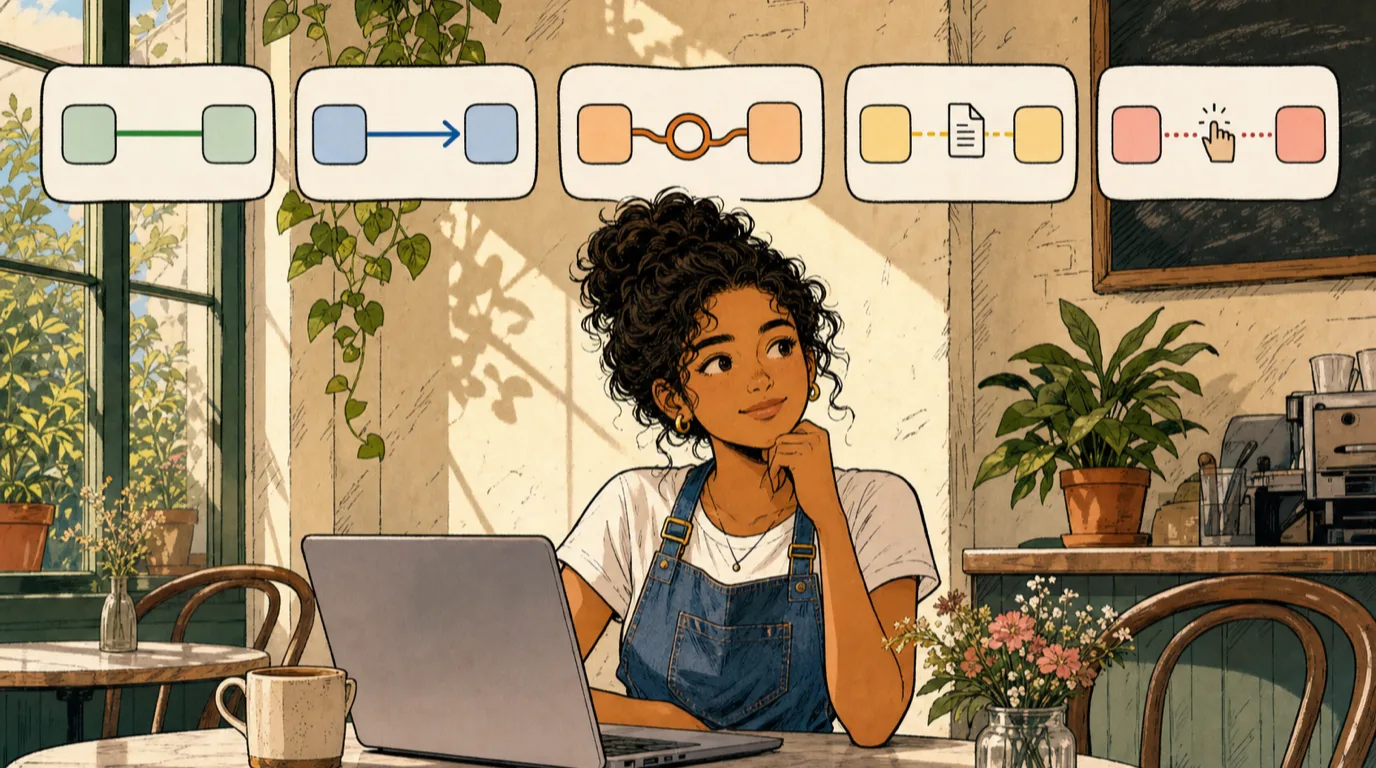
Whichever architecture you pick, your stack is held together by integrations. There are five patterns in production use, with very different cost and reliability profiles. Knowing which one a vendor is selling you matters more than the brand name on the contract.
Native is the gold standard: two layers built by the same vendor on the same database. No API calls, no sync schedules, no failure modes. If POS and inventory are native, COGS just appears.
Direct API is the next-best option. Vendors built a real integration against each other's APIs; data syncs near-real-time and breaking changes are coordinated. Reliable, but dependent on both vendors continuing to invest. When one gets acquired or pivots, integrations die.
Middleware means a third-party tool (Zapier, Make, Omnivore) sits between two layers that do not talk natively. Flexible but adds a vendor, a monthly cost, and a failure point. Use sparingly and only for non-critical flows.
CSV export and import is what most "integrations" actually are when you read the fine print. One system produces a file overnight, the other imports it next morning. Works, but introduces 24-hour latency and breaks silently when columns change.
Manual re-entry is the default for any layer pair without one of the four above. Someone re-types data, every shift, forever. If you have manual re-entry between layers sharing more than a hundred data points a week, that is an integration project with sub-12-month ROI waiting to happen.
Red flags to watch for when evaluating vendors
Most stack-rollout pain traces back to one of five red flags during evaluation. Worth memorising before you sign.
"Integration coming soon". The integration you depend on is in beta or unbuilt. In practice "coming soon" means "we will build it if enough customers ask". Never buy on the promise of a future integration.
Locked-in payment processing. Some POS vendors require their own processor as a condition. The lock-in is about revenue share, not technical necessity. Always ask if you can bring your own; if not, your real POS cost is sticker plus processing markup.
Hidden setup, support, and update fees. The licence price is rarely the real cost. Ask explicitly about onboarding, training, support tiers, and major-version upgrade fees. Annualised total is often 2x the licence number.
No open API. If a vendor cannot point you to public API docs, your data is hostage. You cannot migrate off, and you cannot integrate the next layer. Non-negotiable for anything holding customer or financial data.
Per-terminal or per-transaction data fees. Some vendors charge to access reporting or third-party integrations against your own data. This is your data; access cost should be zero. A vendor monetising data access becomes the most expensive part of your stack within two years.
Your 90-day rollout roadmap
Most operators arrive with mature layers 1 and 5 (POS and payments), partial maturity in 2 and 3, and gaps in 4, 6, and 7. The plan below is what we run for that profile; adjust the order if your scorecard surfaces a different weakest layer.
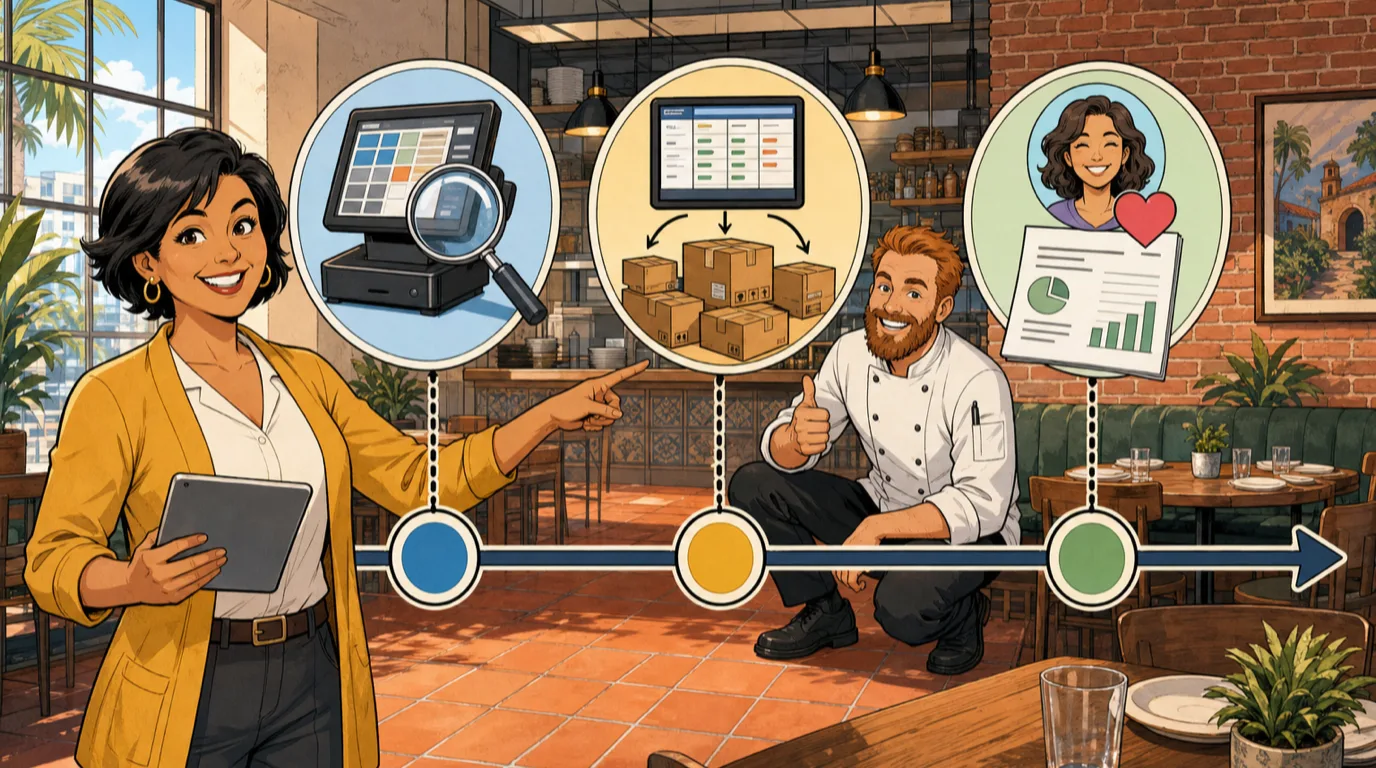
Days 1 to 30: Foundation. Audit layer 1. If the POS misses cloud, terminal-agnostic, or open API, prioritise replacement before any other work. If layer 1 is solid, spend month 1 cleaning the data inside it: menu structure, modifier groups, chart of accounts, employee records, payment workflows. Most layer integrations fail because layer 1 data was messy on day zero.
Days 31 to 60: Back-of-house integration. Connect layers 3 and 4 to layer 1. Install the KDS at every station and wire inventory to fire counts off recipe-times-sales. By day 60 you should have a live daily food cost reading. Most operators see a 1 to 2 point reduction in food cost in the first 60 days from visibility alone, before any operational change.
Days 61 to 90: Financial close and customer layer. Wire layers 5 and 6: daily settlement reconciliation, daily flash, weekly P&L. Then start layer 7: claim the Google Business Profile, install reservations against the same customer record as the POS, and pick one channel (email or SMS) for marketing automation. By day 90 the stack should produce a closed weekly P&L and a foundation for guest CRM.
One discipline that matters more than the timeline: do not roll layers in parallel. Each rollout creates weeks of operational disruption (training, edge cases, workflow change), and stacking three usually means none stick. One layer per month, lock it in, move to the next.
Frequently asked questions
What is the difference between a POS and a restaurant tech stack?
A POS is one layer of the stack. The tech stack is the seven layers (POS, order entry, KDS, inventory and procurement, payments, accounting, customer-facing) plus the integrations that connect them. You can have a POS without a stack; you cannot have a stack without a POS.
Do small restaurants need all 7 layers?
Yes, but not all at the same depth. Every restaurant has some version of each layer (a paper guest book is a layer 7 customer record; a notebook of suppliers is layer 4). The question is not whether the layer exists but whether it shares data with the layers around it. Below 50 covers, paper or basic tools can be enough; above 50 covers per service, integrated tools start paying back inside a quarter.
How much should a restaurant tech stack cost?
For a single-location independent doing $1M-$3M annually, an integrated stack typically costs 0.8 to 1.5 percent of revenue all-in, including hardware amortised over three years, software subscriptions, and payments. For multi-location groups the percentage drops sharply because the per-location software cost flattens out. If you are paying more than 2 percent of revenue on tech, audit whether you are paying for multiple standalone tools that overlap.
All-in-one or best-of-breed for a small restaurant group?
For groups under five locations, all-in-one is almost always the right starting point. The integration tax is high relative to the depth gains, and small groups rarely have the IT capacity to run a best-of-breed architecture well. Most groups graduate to a hybrid (all-in-one core plus one or two specialist tools) around the five to ten location mark.
What is the most important integration to set up first?
POS to inventory (layers 1 and 4). It unlocks daily food cost visibility, which is the single highest-leverage piece of operational data a restaurant generates. Every other integration is downstream of this one in terms of dollar impact.
How long does a full stack rollout take?
If you start from scratch with no integrated tools, expect 90 days to a working stack at Optimised tier, and a full 12 months to reach Connected tier (where every layer shares the same customer and product records in real time). Most operators try to compress this into a month and fail because staff cannot absorb that much workflow change at once.
Can I migrate gradually without disrupting service?
Yes, and you should. Replace one layer at a time, run the old and new in parallel for at least two weeks, and only cut over after a clean weekend test. The riskiest layer to migrate is layer 1 (POS) because everything else depends on it; do it on the slowest week of the year and have the old system on standby for 30 days.
The stack is the moat
The reason vendor choice matters so much in 2026 is that the stack you assemble in the next 12 months will define the next five years of your operation. Switching costs are real; once your team is trained and your workflows are built around a tool, replacing a layer is a six-to-twelve month project even when it is the right call. Choosing carefully now is cheaper than fixing it later.
What the best operators we work with do is treat the stack as a long-term capital decision, not a series of point purchases. They map the seven layers, identify where the integration tax is highest, pick the layer with the biggest dollar lever, and fix it. Three months later they pick the next. A year later they have a stack that closes daily, surfaces problems hourly, and frees the GM to spend time on the floor instead of in spreadsheets.
If you have not scored your own stack yet, the scorecard above is the place to start. If you have, the restaurant improvement ideas guide is a good follow-on read.
Read next: Switching Restaurant POS Systems: The 2026 Migration Playbook (with Free POS Migration ROI Calculator) and Restaurant Payment Processing Fees: The 2026 Operator's Guide to Lowering Your Effective Rate (with Free Effective Rate Calculator) and Cloud Based POS System: How It Works.