Friday, 7:40pm. Nineteen tables in the room, fifteen of them seated, three parties standing by the door, and a two-top on their second coffee who show no sign of moving. A four-top booking lands at eight. Somebody has to decide, in the next ninety seconds, whether to quote the couple at the door twenty minutes or forty, and whether to hold table 12 or give it away. That judgement call, repeated a few hundred times a night, is what a table management system exists to take the guesswork out of, and it is the part of a restaurant POS system that almost nobody evaluates properly before signing.
Most operators meet the category sideways. You shop for tills, card rates and reporting, you sign, and three weeks later you find out the floor plan screen from the demo is a drawing: tidy, clickable, and with no idea that table 7 has been sitting on a finished dessert for eleven minutes. Drawing a room and running one are different jobs. The distance between them is where full-service restaurant software either earns its keep on a Saturday or quietly costs you a turn a night.
What a table management system actually is
Strip the marketing away and it is one thing: a live, shared, trustworthy answer to the question "what is the state of every table in this room, right now." Not the layout. The state.
That distinction sounds pedantic until you watch a busy host stand without one. The information exists, but it is scattered. The server knows table 9 has ordered. The runner knows the mains just went out to 14. The host thinks 6 is nearly done because they walked past two minutes ago. The manager is guessing. None of it is written down anywhere, so every decision about who sits where is made from a partial picture held in four people's heads, and the picture goes stale the moment anyone turns around.
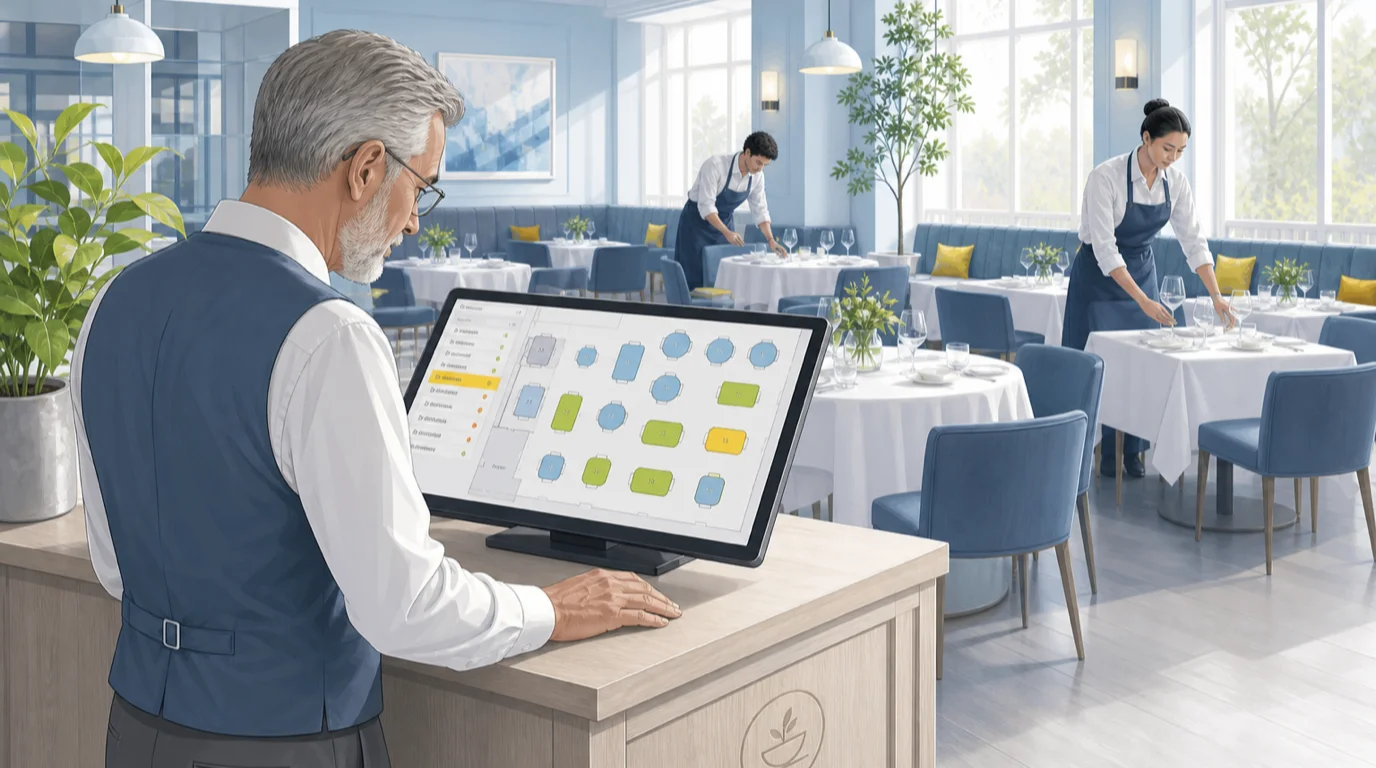
A table management system makes that picture explicit and puts it on a screen everyone can see. Each table carries a status, a timer, a party size, a server, and a check. When the server fires the mains, the table's status moves. When the check is settled, a bussing clock starts. The host stops asking "is 6 nearly done?" and starts reading it.
The value is not the screen. It is that the room stops depending on the memory of whoever happens to be standing at the door, which matters most precisely when it is busiest and that person is most overloaded.
The states a table moves through in one service
Every system has its own vocabulary, but the underlying model is fairly consistent, and it is worth understanding because it is what you are really buying. A table is generally in one of these:
Available. Clean, set, ready to seat. Held. Assigned to a booking or a waitlist party but not yet occupied, usually with a countdown before it releases. Seated. Guests are down, nothing ordered. Ordered. The check is open and items are in. Mains away. The entrees have hit the table. Dessert or coffee. The tail end. Check dropped. The bill is on the table, money not yet taken. Paid. Settled, guests may still be sitting. Needs bussing. Empty, dirty. Then back to available.
Two of those deserve more attention than they usually get. "Paid" and "needs bussing" are separate states for a good reason: the minutes between a guest settling up and the table being reset are pure dead time, and they are the single most compressible part of a turn. A room that averages seven minutes of bussing on a hundred-cover night is throwing away the better part of a two-top's entire seating window, over and over, without anyone noticing because it never appears on a report.
"Held" is the other one. How long a hold survives before it releases back to the floor is a policy decision with real revenue attached, and most systems let you set it. Fifteen minutes is common. On a Saturday at capacity, ten is often more honest.
The timers matter as much as the statuses. A table that has been on "check dropped" for fourteen minutes is a specific, actionable problem: somebody needs to go and take the money. Without the timer it is invisible.
Floor view, list view, and the timeline
Ask what views a system offers and you learn a lot about who built it. Three are worth having, and they answer genuinely different questions.
The floor view is the spatial one: your actual room, tables in their actual positions, colour-coded by state. This is the host's default because seating is a spatial problem. You need to see that the free four-top is next to a loud six-top before you walk a couple over to it. A good floor view is built on your real restaurant floor plan, not a generic grid, and it updates without anyone refreshing anything.
The list view strips the geography out and sorts by time. Every open table, ranked by how long it has been in its current state. This is the manager's view, and it is where problems surface: three tables sitting on "check dropped", a section where nothing has been fired in twelve minutes. Geography hides that. A sorted list does not.
The timeline or grid view shows tables down one axis and the evening across the other, with bookings as blocks. This is the planning view, and it is the one that tells you at four in the afternoon whether tonight's book is actually seatable or whether you have quietly double-committed the same four-top at 7:30 and 9:00 with only ninety minutes between them.
Systems that only do the pretty floor view look great in a demo and get frustrating by week three. Ask to see all three, on a room with sixty covers on the book, not on the four-table sample the salesperson brought.
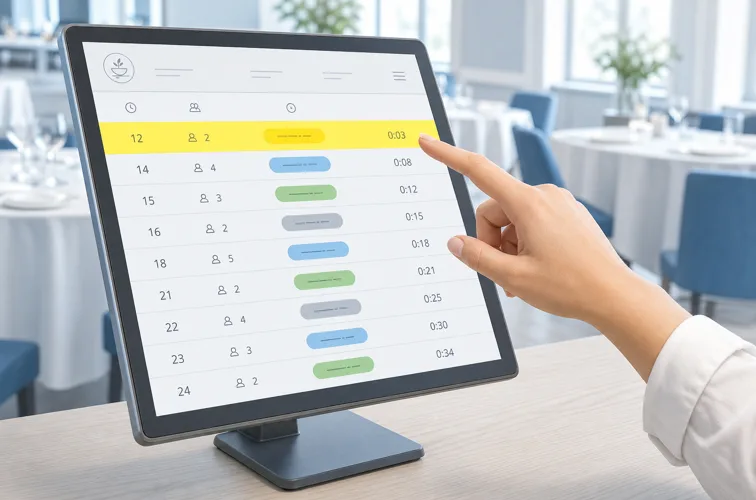
The waitlist and the quote you can actually keep
Walk-ins are where table management earns its reputation, because the whole interaction turns on a number you have to say out loud before you can possibly know it. "About twenty-five minutes."
Get that number wrong in one direction and people leave. Get it wrong in the other and they stand there at minute forty, visibly annoyed, in front of everyone still deciding whether to wait. The quote is not a guess you smooth over with charm. It is a forecast, and a system that knows current table states, average turn times by party size and day part, and what is on the book can make it substantially better than a person can under pressure.
The mechanics are unglamorous and they matter. Parties join a list with a size and a phone number. The system tracks who has been waiting how long. When a table frees, it suggests the next fit rather than the next name, because seating a deuce at a six-top on a Friday is a decision with a cost. Text paging replaces the buzzer, which means people can wait in the bar next door instead of your doorway, which in turn means your doorway does not look chaotic to everyone walking past.
Then the part almost everyone skips: quote accuracy reporting. Did you say twenty-five and seat them at twenty-three, or at forty-one? A system that records both lets you tune the estimate over a few weeks. Most rooms discover they are systematically optimistic on Fridays and pessimistic on Tuesdays, and correcting that is close to free.
How the system decides who sits where
Seating looks like intuition. Mostly it is three constraints being balanced at speed.
Fit. Party of two, table for two. Obvious, until the only free deuce is by the toilets and the only other option burns a four-top you will want at 8:15. Systems handle this with table attributes: capacity, minimum party, whether it combines, whether it is a booth, a window, a high-top, wheelchair accessible. Attributes are tedious to set up and they are what makes automatic suggestions worth trusting.
Rotation. Sections need to fill evenly, or one server gets four tables in six minutes while another has been reading the specials board for a quarter of an hour. Uneven seating is a service quality problem before it is a fairness problem: the overloaded server's tables all wait, and those guests do not know or care why. Good systems track seats per server and bias suggestions to level it out. This connects directly to how you build sections in the first place, which is a staff scheduling decision made hours earlier.
Pace. Seating six tables in one section inside four minutes hands the kitchen six tickets at once. The room looks fine. The pass does not. Some systems will actively hold a seating suggestion to smooth the flow, which feels wrong the first time you watch it and stops feeling wrong the first Saturday it saves the kitchen.
Every one of these can be overridden, and should be. The regular who always sits at 4 sits at 4. The point is that the default is sensible, so overrides are deliberate rather than constant.
Combining, splitting, and moving without losing the check
Here is the test that separates real table management from a floor plan with colours on it. A party of six arrives on a booking for four. You push two tables together. Forty minutes later two of them move to the bar to carry on drinking, and the remaining four want to pay separately.
Every one of those moves has to work on the floor and in the ledger at the same time. Combining two tables should create one seating with one check, not two half-tracked ones. Moving a party from 14 to the bar has to carry the open check with them, including the items already fired, or the drinks they ordered at 14 quietly vanish. And the split at the end has to happen at the item level, not by dividing the total, because one of them had the steak and everyone remembers who had the steak. That is a split bill problem the POS side has to solve cleanly, and it is the thing servers complain about loudest when it does not.
The failure mode is not dramatic. It is a check that stays open on a table nobody is sitting at, so the host thinks the table is occupied for another twenty minutes and stops offering it. One stuck check on a Saturday is a lost turn. Ask, in the demo, to combine two tables, move the party, and split the result. Watch whether the floor plan and the check agree afterwards. If the salesperson has to reload something, you have your answer.
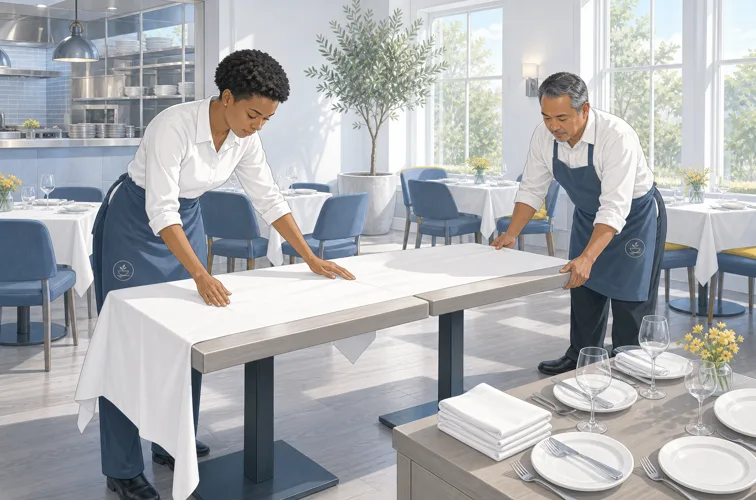
Pacing the floor against the kitchen
A table management system that does not talk to the kitchen is managing half the problem. The room's capacity is not the number of seats. On a busy night it is whatever the pass can actually produce, and seating faster than that just relocates the queue from your doorway to your dining room, where it is a worse queue because those people have already ordered.
The connection runs both ways. Ticket times from the kitchen display system tell the floor whether the kitchen is on time or eight minutes down, which should change how aggressively you seat. Table states tell the kitchen what is coming: four tables just seated means four orders inside ten minutes, which is useful to know before they land rather than as they land.
Where this shows up concretely is the hold. If mains are running fifteen minutes long, the honest move is to slow seating or lengthen the quote, and a system that surfaces the kitchen's actual state lets a manager make that call at 7:50 rather than discovering it at 8:30 through complaints. Rooms that run tableside ordering feel this more sharply, because orders reach the kitchen faster and the pass is less protected by the walk back to the till.
None of this needs to be clever. A ticket-time number visible on the host screen covers most of it.
What the data tells you after service
The live view is the reason you buy one. The history is the reason it keeps paying.
Once every table's states and timers are recorded, you can answer questions that were previously arguments. What is our actual average turn on a Friday for a party of two, as opposed to what we tell ourselves? Which tables in the room turn slowest, and is that the table or the section? How much of a turn is eating, and how much is the seven minutes after payment? Where does table turnover rate come from in your specific room, rather than in general?
The answers are frequently unflattering and usually cheap to act on. A bistro I would describe as well run found that its two window four-tops turned eleven minutes slower than identical tables six feet away, every single service. Not the food, not the server. Those two tables were the nicest seats in the room and people lingered. The fix was not to make them worse. It was to stop treating them as interchangeable when quoting waits, which made the quotes accurate again.
Turn time also feeds the numbers you actually steer by. Covers per server hour, seat occupancy across the evening, and the relationship between how fast a table turns and what it spends, because pushing turns while average check falls is not a win. Those belong in the same review as your other restaurant KPIs, monthly, with the floor plan open next to them.
Table management, reservations, and POS: where the lines sit
These three overlap enough that vendors blur them deliberately, and the blur causes real buying mistakes. Roughly:
A restaurant reservation system handles demand before it arrives: the booking widget, the confirmations, deposits, no-show policy, the guest record. Table management handles the room while service is happening. The POS handles the money and the menu. In a full-service venue you need all three, and the only question is whether they come from one platform or several with integrations between them.
The practical consequence is about where the truth lives. If your bookings sit in one vendor's cloud and your table states in another's, something has to reconcile them continuously, and that something fails at the worst possible moment. Two-way sync in a demo means bookings appear on the floor plan. Two-way sync at 8pm on a Saturday means a table you just seated as a walk-in immediately stops being offered to the 8:15 booking, in under a second, without anyone pressing anything.
Integrated suites win on that reliability and lose on best-of-breed features, which is the usual trade and worth making consciously. Standalone table management does exist and makes sense if your POS is otherwise fine and you are not ready to move, though it does add a second system for the host to learn. If you are already weighing a change, the calculus is different, and switching POS systems is the bigger project to plan around.
What it costs and how it is sold
Table management is rarely a line item. It usually arrives bundled, which makes it hard to price and easy to skip in an evaluation.
In an integrated platform it is typically part of the per-venue or per-terminal subscription, so the marginal cost is nothing and the real question is whether the included version is any good. Sold as a module, expect somewhere in the region of 50 to 150 a month per venue. Standalone reservation-and-table platforms sit higher, often 200 to 400 a month, sometimes with a per-cover fee on bookings that came through the vendor's own network, which is worth reading carefully because it scales with your success rather than your usage.
Hardware is usually a host stand terminal or a tablet, plus whatever the servers already carry. If the room is large enough that the host cannot see it, a second screen near the pass pays for itself. Broader budgeting sits with POS system cost rather than with this module alone.
On the return side, be conservative. A ninety-seat restaurant doing two turns at an average check of 38 takes roughly 6,800 on a full Friday. Half an extra turn on the busiest fifty services a year, which is a modest claim if bussing time and quote accuracy improve at all, is meaningful money against a subscription in the hundreds. Just do that arithmetic with your numbers before a salesperson does it with theirs.
Rolling it out in a room that is still open
You cannot close for a week, so this goes in live, which is fine if you sequence it.
Build the floor plan properly first, and be exact. Every table, its real capacity, its attributes, which tables combine with which. This is a couple of hours of dull work and it determines whether the suggestions are trusted or ignored from day one. A room where the system keeps proposing impossible seatings gets abandoned inside a fortnight, and it will be described as the software's fault.
Then pick your quiet service and run it for real. Not a training session: an actual Tuesday, with a manager on the floor who can undo anything. The hosts will find the two or three things that do not match how your room works within an hour, which is exactly the point.
Train the states before the buttons. If the team understands why "paid" and "needs bussing" are different, the buttons are obvious. If they do not, you get a floor plan full of stale statuses, which is worse than no system because people act on it. Runners and bussers need this more than anyone and are usually trained last, if at all.
Give it three weeks before judging. The first is worse than paper. The second is about even. Somewhere in the third the host stops looking up and starts reading the screen, and that is the moment the thing starts working.
What to actually test in the demo
Vendor demos are built on an empty four-table room where everything behaves. Insist on a fuller one and put these in front of it.
Seat a walk-in on a table that has a booking in ninety minutes, and see whether the system warns you. Combine two tables for a party of six, then move half of them, then split the check by item. Mark a table paid and watch whether a bussing timer starts on its own or whether somebody has to remember. Sort the list view by longest time in state and confirm it is genuinely live. Ask what the host stand does when the internet drops, because it will, and "everything stops" is a real answer some products give.
Then ask for quote accuracy reporting by name. It is a good tell. Products built by people who have worked a host stand have it. Products built from a feature list do not, and that single question sorts a shortlist faster than an afternoon of slides.
If you are specifying a wider system, get the table management requirements written down before you compare platforms, not after. It is the module operators concede first in negotiation and complain about longest afterwards.
Read next: restaurant POS tablets, restaurant order management, and restaurant customer service.