Every order your restaurant takes ends its journey in the kitchen one of two ways: as a paper ticket chattering out of a thermal printer, or as a tile on a screen. For decades the printer was the only option, and it earned its keep, cheap, simple, indestructible in a greasy environment. But kitchens in 2026 are not fed by one order channel anymore: dine-in from the POS, tableside QR orders, direct online orders, and third-party delivery all converge on the same line, and the paper rail is where that convergence turns into chaos. The kitchen display system exists to manage exactly that chaos, which is why the printer-versus-screen question has become one of the most practical technology decisions an operator makes.
This guide compares the two honestly, category by category: how each actually works, speed and ticket times, order accuracy, multi-channel handling, coursing and coordination, the data you get or do not get, real costs over three years, and the failure modes of each, because both fail, just differently. We will also cover the cases where a printer is still the right answer, the hybrid setups most kitchens actually land on, and how to migrate without wrecking a single service. If you want the deeper KDS-only treatment afterward, our kitchen display system guide goes further into configurations by kitchen size.
How the kitchen printer works, and why it survived this long
The mechanics could not be simpler: the POS sends the order, the thermal printer near the line prints it, a cook tears it off, reads it, and clips it to the rail in arrival order. Done dishes get their tickets spiked or binned. The system's virtues are genuine. It costs a few hundred dollars per printer and nothing to learn: every cook alive already knows how to read a ticket. It has no software to configure, no screens to mount, and thermal printers tolerate heat, grease, and flour dust that would kill lesser electronics. When something goes wrong, the failure is visible and physical, a jam you can clear, a roll you can replace.
The limitations are just as structural. Paper is passive: the rail shows arrival order, not cooking priority, and re-sorting means physically shuffling tickets with wet hands. A ticket carries no clock, nobody knows a table has waited nineteen minutes until a server comes asking. Multi-station dishes need duplicate tickets or a shouted relay, and coordination between grill and fry lives entirely in the expeditor's head. Tickets curl, smudge, fall in the fryer, and vanish, and every restaurant that runs on paper has a story about the eight-top whose ticket was never seen again. None of this mattered much when orders arrived through one channel at a human pace. It matters enormously now, and that shift, not gadget enthusiasm, is what changed the calculus.
How a KDS works
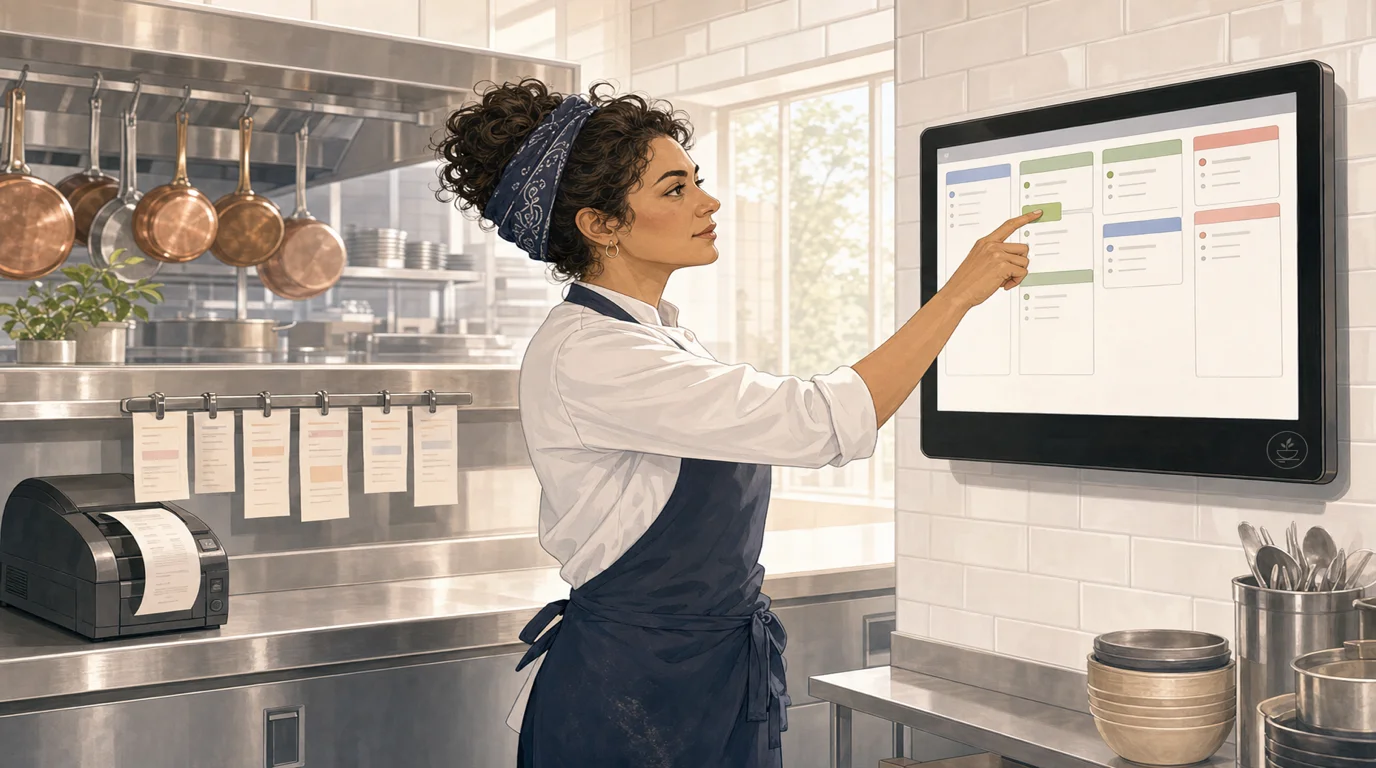
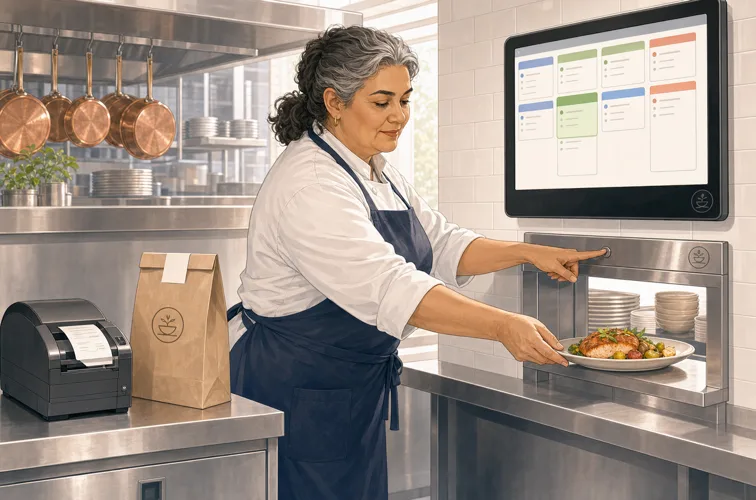
A kitchen display system replaces the rail with screens, one per station in the full build, plus an expo screen at the pass. Orders flow from every channel into one queue, and the routing rules send each item to the station that cooks it: the burger to the grill screen, its fries to the fry screen, the salad to cold prep, with the expo screen assembling the whole ticket where plates come together. Tickets carry live timers and change color as they age; alarms flag anything past target. Cooks bump items as they finish, which tells the expo, and the server, that food is up, and every bump is timestamped into the reporting layer. Coursing logic holds mains until appetizers clear; fire buttons release them on the floor's signal.
Modern systems layer conveniences on top: recall of bumped tickets (the paper equivalent is digging through the bin), item counts across all open tickets so the saute cook knows six salmon are in flight, allergy and modifier highlighting that no smudged ticket can match, and prep-time estimates per item so the system, not memory, decides what fires first for a table to land together. The screens themselves are commercial-grade touchscreens or protected tablets, mounted where paper rails used to hang, controlled by bump bars or gloved-finger taps. The honest cost of all this capability is configuration: a KDS is only as smart as its station map and its prep times, and a lazy setup produces little more than an expensive digital rail, a theme our back-of-house software guide returns to often.
Speed: ticket times and the rhythm of the line
Speed is the headline claim, so let us be precise about where the minutes actually come from. First, sequencing: on paper, cooks re-read the whole rail dozens of times a night deciding what to fire; the KDS sorts the queue continuously, so the next thing to cook is always simply the next thing on screen. Second, routing: items land only where they are cooked, so nothing waits to be noticed by the right station. Third, aging alarms: slow tickets escalate visually before a guest complains, compressing the long tail of worst-case waits, which is what guests actually remember. Fourth, coordination: when the system times a table's items to finish together, remade cold food, the silent ticket-time killer, largely disappears.
Operators who configure properly report ticket-time improvements in the 10 to 30 percent range, with the effect strongest at peak volume and in kitchens juggling several channels. The gains compound front of house: faster, more predictable kitchens turn tables measurably better, which our table turnover guide translates into revenue per seat. A fair caveat the other way: for a two-cook kitchen with a twelve-item menu and one channel, the sequencing advantage shrinks, both cooks can see the whole rail at once, and a well-run paper line in that setting concedes very little on pure speed. The gap opens with menu complexity, station count, and channel count, and it opens fast.
Accuracy: lost tickets, misreads, and remakes
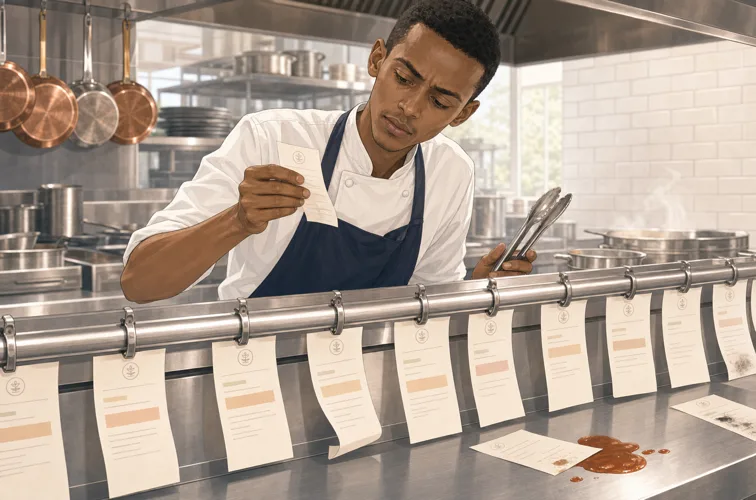
Every remake has one of three causes: the kitchen never saw the order, misread it, or fired it wrong. Paper contributes to all three. Tickets are lost, in the fryer splash zone, under a cutting board, stuck to another ticket, and a busy rail hides its casualties until the server appears. Thermal print smudges and curls; modifiers hide in cramped lines; handwriting on modified tickets adds its own translation errors. Industry estimates put order errors in paper kitchens at 2 to 5 percent of orders, and each error costs the food, the labor to remake it, and usually a comp, our food waste guide counts remakes among the most expensive waste a kitchen produces.
Screens attack each cause structurally. An order cannot be lost: it stays on screen until a human bumps it, and an unbumped ticket past its timer escalates with color and sound. Modifiers and allergens render in bold highlight, at readable size, on every station's screen simultaneously. And because bumps are logged, disputes end: the screen knows when the kitchen saw the ticket and when it went out, which settles the nightly kitchen-versus-floor argument with a timestamp instead of a memory. Kitchens that switch typically watch remake rates fall by a third to a half, and the reporting reveals which items, stations, and dayparts generate the errors that remain, which is what lets a manager fix causes rather than symptoms.
The multi-channel problem: where paper actually breaks
If your restaurant takes orders from one POS and nothing else, paper strains but works. Add channels and the strain becomes failure. Third-party delivery orders arrive on their own tablets and get re-keyed or printed on separate slips; direct online orders print unannounced with no one watching for them; QR tableside orders drip in continuously rather than in server-sized batches. The rail becomes a merge point with no traffic control: pickup times for delivery collide with dine-in coursing, and the kitchen cooks in the order the paper happened to arrive, not the order the promises were made.
This is the argument that ends most printer-versus-KDS debates on its own, because a KDS is precisely a traffic controller: every channel feeds one queue, the system schedules delivery orders against their pickup windows and dine-in against its coursing, throttles online intake when the line is buried, and shows one honest picture of kitchen load. The alternative, a countertop of chirping tablets and a rail of mixed-source paper, is how kitchens end up simultaneously slow for guests in the room and late for the courier at the door, a failure pattern our delivery guide dissects. As a rule of thumb: at one channel, the printer is defensible; at two, it wobbles; at three or more, the paper rail is the single most expensive piece of low-tech in the building.
Coursing, timing, and the expo's job
Full-service kitchens live and die by coordination: four dishes for one table, cooked at four stations with four different prep times, landing hot in the window together. On paper, that choreography is the expeditor's memory, the expo reads the rail, computes fire times in their head, and shouts the sequence, and great expos are genuinely great at it. The system's weakness is that it is a single point of human failure: the choreography degrades when the expo is slammed, distracted, or new, and it does not survive shift changes, our restaurant positions guide describes just how much rides on that one role in a paper kitchen.
A KDS moves the arithmetic into the system: each item carries a prep-time estimate, so the ticket itself staggers the fire times, fries called three minutes after the steak, and the expo screen shows exactly what should be landing now, what is late, and what is coming. Course holds are explicit, appetizers bump, mains release on fire, and the floor and pass stop negotiating by shout. None of this replaces a good expo; it gives them instruments instead of instinct, and it makes the average expo perform close to the great one. For casual and counter formats the same logic applies in miniature: even a two-course flow (food up, dessert later) benefits from holds that paper cannot enforce.
Data: what the screen knows and the paper never will
A paper ticket dies in the bin holding everything it learned: how long the table waited, which station dragged, which dish jammed the line. A KDS keeps all of it. Ticket times by daypart and day of week; per-station and per-item prep durations against target; the count of escalated tickets and when they cluster; the delta between quoted and actual delivery-ready times. This is the kitchen's half of the operational dashboard, and it changes conversations from folklore to fact: whether the Friday slowdown is the saute station or the six-top seating pattern, whether the new dish's four extra prep minutes are worth its margin, whether ticket times justify a second fry cook, questions that, without data, get answered by whoever argues loudest.
The measurements feed decisions well beyond the pass: staffing levels against forecasted load, menu engineering calls where an item's prep cost joins its food cost in the keep-or-kill math, and the kitchen-side KPIs that belong on the weekly scorecard next to sales and labor, our KPI guide slots them into the full dashboard. There is no printer-side equivalent to compare here, and that asymmetry is the quiet long-term argument for screens: the speed gains show up in week one, but the measurement compounds forever.
Costs: the honest three-year math
Upfront, the printer wins clearly. A thermal kitchen printer runs 300 to 600 dollars; a three-printer build for a mid-size kitchen lands between 1,000 and 1,800 dollars including cabling, and the only recurring cost is paper, a few hundred dollars a year, plus the occasional print head. A KDS costs 400 to 1,200 dollars per commercial screen (consumer tablets in protective enclosures run cheaper but live shorter in a hot kitchen), mounting hardware, and on many platforms a software fee of roughly 10 to 30 dollars per screen per month, though some POS platforms bundle KDS software free with the subscription, which shifts the math substantially, check this line when comparing systems, alongside the rest of the stack pricing in our POS cost guide.
Across three years the picture inverts. The printer's costs stay flat while its capabilities stay zero; the KDS's marginal cost approaches paper-money levels while it keeps paying in minutes and remakes. Work one example: a kitchen doing 200 covers a night that cuts remakes from 3 percent to 1.5 percent saves roughly 3 dishes a night; at a modest 6 dollars of food and labor per remake, that is over 6,500 dollars a year, before counting a single saved labor minute or a single extra table turned. Against a 2,000 to 3,000 dollar cost delta, the payback lands inside year one for most full-service volumes. The honest exception: at very low volume the saved minutes are few, and the printer's arithmetic holds, which is why the next section exists.
Failure modes: both break, differently
Printers fail physically: jams mid-rush, print heads that fade to illegibility, paper that runs out at 7:40 p.m., and the special silence of a printer that stopped working twenty minutes ago without anyone noticing, the orders it swallowed are simply gone. Screens fail electronically: a tablet overheats over the fry station, a power supply dies, and, in badly architected systems, the network becomes a single point of failure. That last one deserves scrutiny before any purchase: a well-built KDS runs on the local network, POS to screens over in-house ethernet or Wi-Fi, so an internet outage changes nothing in the kitchen, while cloud-dependent designs go dark exactly when the room is full. Ask the vendor precisely this question, and prefer the architecture covered in our cloud POS guide: cloud for data, local for service.
The practical difference is that screen failures are visible and plannable: a dead screen announces itself, the system can auto-reroute its tickets to a neighboring station or a backup printer, and a spare tablet in the office swaps in between rushes. Paper failures are quiet and unplanned. Either way, the resilience playbook is the same: a configured fallback path, one spare device, and a laminated card telling the crew what to do, sixty seconds of planning that turns a mid-service failure from a crisis into an anecdote.
When the printer is still the right call
A fair comparison names the cases where paper wins, and they are real. The two-cook kitchen with a short menu and one order channel: both cooks see every ticket at a glance, sequencing is trivial, and 2,000 dollars buys ingredients instead of screens. The single-station format, a crepe stand, a coffee bar with three savory items, where routing has nothing to route. Food trucks and pop-ups that need cheap, rugged, and instantly replaceable gear. Extreme environments, open flame, heavy flour, outdoor heat, where screen longevity is genuinely questionable. And label printing is not even a debate: takeaway bags, boxes, and delivery seals want sticky labels from a label printer, KDS or no KDS.
There is also an organizational case for waiting: a kitchen mid-crisis, bleeding staff or drowning in a menu rewrite, should not add a systems migration to the pile this month. The printer is a known quantity, and known quantities have value during chaos. What does not hold up is the folklore version of the argument, cooks will not accept screens, paper is faster because we know it: line cooks adapt to bump bars in days, and "we know it" describes familiarity, not performance. If the operation matches the honest cases above, keep the printer with a clear conscience. If it does not, the folklore is costing money nightly.
When the KDS wins, and the hybrid most kitchens actually run
The KDS case becomes decisive with scale and complexity: three or more stations, where routing and coordination stop being manageable by shout; two or more order channels, where the queue needs a traffic controller; coursed service, where fire timing is revenue; any operation whose delivery volume carries promised pickup times; and any operator who wants the kitchen on the same measured footing as the register. Multi-location groups get an extra multiplier, standardized station maps, prep times, and ticket-time benchmarks across venues, which is half of what makes multi-location management possible at all. If two or more of those describe your kitchen, the screens pay for themselves; the only question left is rollout.
In practice, most kitchens land on a hybrid rather than a purge: screens at the stations and the expo, a label printer for packaging, a receipt printer at the counter, and a backup print path that wakes automatically if a screen drops. That combination takes the best of each technology and covers each one's failure mode with the other, which is why it has quietly become the default architecture in well-run kitchens, part of the broader stack our tech stack guide maps. The anti-pattern to avoid is permanent duplication, every order to both paper and screen forever: cooks anchor to one medium, the other becomes noise, and the noise eventually hides an order. Transition through duplication briefly if it calms nerves, then commit.
Migrating without wrecking a service
The switch is a process change wearing a hardware change's clothes, so plan it like training, not like an installation. Sequence it: map stations to how the kitchen actually cooks (not how the org chart says it should), enter honest prep times per item, because the timing logic is only as good as its inputs, and mount screens where the paper rail hung, at eye level per station. Start with one screen at expo while stations keep their printers: the expeditor learns the system with a safety net, and the crew watches it work before touching it. Then extend station by station across a quiet week, ending with the busiest station last, when everyone else is already fluent.
Train on the muscle memory, not the theory: bumping, recalling, firing holds, and the failure drill, what to do when a screen misbehaves mid-rush, and run the first fully-paperless service on a slow night with the vendor's support reachable and the backup print path tested, not assumed. Expect a week of grumbling and a fortnight to full speed; expect also the moment the kitchen stops trusting the rail and starts trusting the queue, which is when ticket times begin their drop. Watch the numbers from day one, baseline ticket times before the switch so the improvement is measurable rather than anecdotal, and revisit prep-time estimates after a month of real data. If the KDS arrives as part of a larger platform move, our POS switching guide covers sequencing the whole migration; done in this order, kitchens routinely make the change without losing a single service, and within a quarter the paper rail feels as distant as the handwritten dupe pad it once replaced.