Most POS decisions get made backwards. You book four demos, watch four practised salespeople drive four systems they know better than their own kitchens, and pick the one that looked cleanest on a laptop in a quiet office at eleven on a Tuesday morning. Nobody was waiting for a table. Nothing was on fire. Then you sign a three year contract and discover, on your second Saturday, that adding a round of drinks to an existing tab takes six taps. Six taps, two hundred times a night. A restaurant POS system is not really a product you buy. It is a set of movements your staff will repeat until they retire, and no demo held in a quiet room will tell you how those movements feel.
So this is not another feature comparison. Features are the easy part, and the honest answer is that the top ten systems all have roughly the same ones. What separates them is how they behave at 8pm on a full floor, what they do when your internet drops, and what they cost you to leave in year four. The decision also drags a second decision behind it that operators routinely underestimate: your POS usually determines your restaurant payment processing, and unpicking that later is harder than changing the till itself. What follows is the process, step by step, that surfaces all of it before you sign rather than after.
Start with one shift, not a shortlist
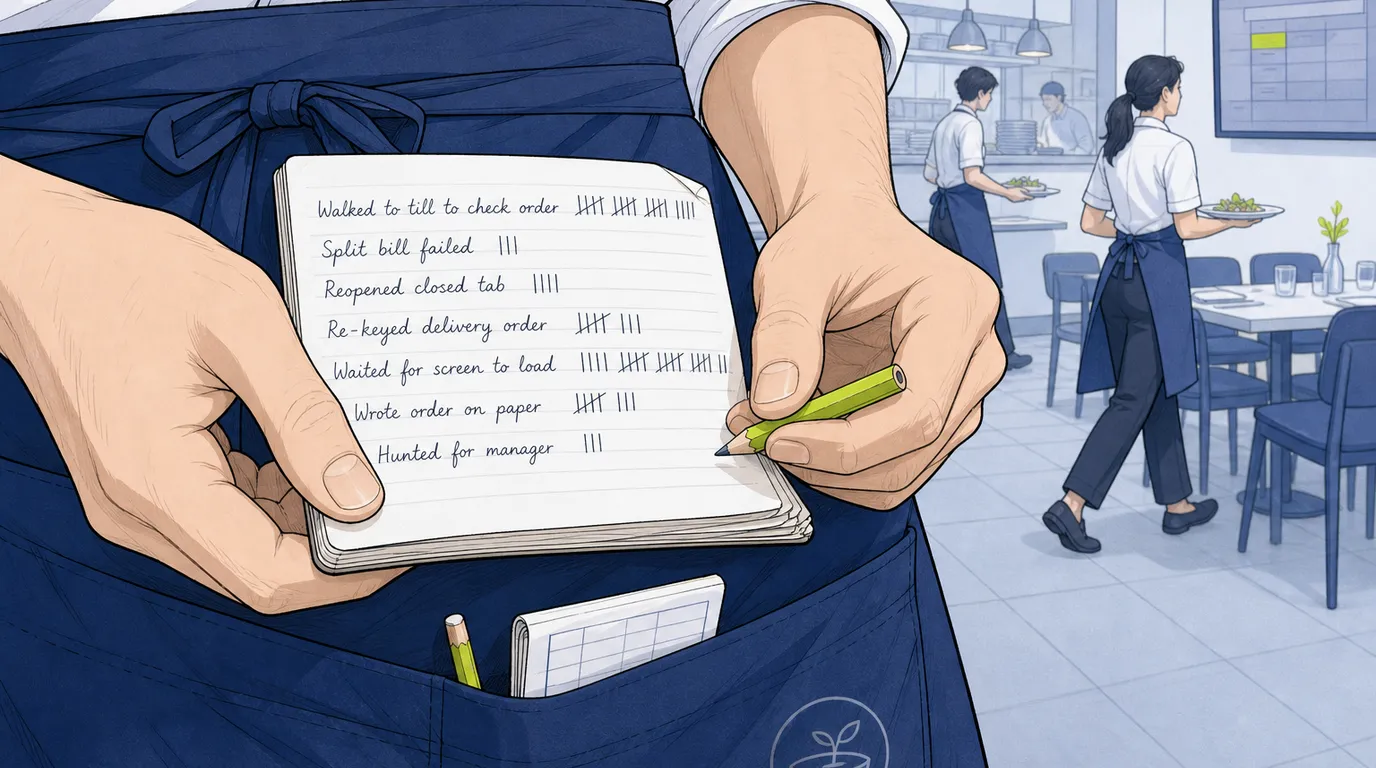
Before you speak to a single vendor, spend one busy service with a notebook in your apron. Not a clipboard, not a spreadsheet. A notebook, because you will be writing while walking.
Write down every moment somebody waits on the system, walks somewhere they did not need to walk, or reaches for paper. That is the whole exercise. It takes one Friday and it will produce a better requirements document than three weeks of research, because it is about your restaurant instead of the restaurant in the brochure.
Here is what operators typically come back with, and it is remarkably consistent. A server walking to the terminal by the pass to check whether the kitchen actually received table nine. The same server writing a dessert order on a pad because the tab was already closed and reopening it means finding a manager. A bartender voiding an entire round because a guest wanted to pay for their two drinks separately and the tab would not split mid-service. Somebody keying delivery orders from a tablet into the POS by hand, one finger, during the rush. And the closing manager still there at ten past one because the cash drawer is eleven units off and there is no report that shows which transaction did it.
Now do the part everyone skips: put a number next to each one. How many times per shift? The order-check walk happens maybe forty times. The split-bill mess, three or four. Reopening a closed tab, twice. That frequency column is the most valuable thing you will own during this whole process, because it converts a list of annoyances into a list of priorities that cannot be argued with. A feature you would use monthly loses to a tap you would save forty times a night, every single time, no matter how good it looks in a demo.
You should end up with roughly ten specific, countable irritations on one page. That page is your brief. Everything below is about testing candidates against it instead of against a feature grid somebody else wrote.
Five constraints that do the real filtering
Vendors want to start with capability, because capability is where everyone looks good. Start with constraints instead. Most of these can be settled in a ten minute phone call, and each one is capable of eliminating a vendor before you have spent an hour watching a presentation. Getting from a field of twelve to a shortlist of three should be quick and slightly ruthless.
What actually happens when the internet drops
Ask this first and ask it precisely, because "we work offline" is a sentence that covers about five different levels of true. The questions that matter: can I take a card payment with no connection, or only a cash sale? Do kitchen tickets still reach the kitchen? Can I open a new tab, or only close ones that already exist? What happens to the data when the line comes back, and has anyone ever lost a shift? If your venue is a rooftop, a beach club, a marquee, or anywhere with one contended line, this question outranks everything else on your list. A restaurant that cannot take money for twenty minutes has a much more expensive problem than a restaurant with a clumsy reporting screen.
What has to talk to what
Write down the systems you already run and are not planning to replace: accounting, payroll, the property management system if you sit inside a hotel, the delivery aggregators, the reservation book. Then, for each one, ask the vendor for a named customer using that exact integration in production. Not "we integrate with Xero." A customer, on Xero, today. The gap between an integration that exists on a partner page and one that works is where implementation projects go to die, and it is invisible from the outside. If you are assembling several systems rather than buying one, the restaurant tech stack patterns are worth reading before you commit to an architecture.
The shape of your menu
Menus break POS systems in ways that are almost impossible to predict from a description. Weight-based pricing. A build-your-own bowl with fourteen modifiers, four of which cost money and two of which are mutually exclusive. Courses that need to fire in sequence, with the mains held until somebody presses a button. Happy hour that changes price on twelve items between four and six, but only on weekdays, and only in the bar area. Set menus where a supplement applies to one dish. Pick your two ugliest cases and keep them in your pocket for the demo.
How many sites, and how much you want to control centrally
One venue: skip this. Two or more, and the question becomes whether you can change a price once and have it land everywhere, whether you can see today's sales across all sites on one screen without exporting anything, and whether a site can be allowed to differ on purpose. Some systems treat multi-site as one database with filters, others as separate installs stitched together by a report. The second kind gets painful somewhere around site four.
Who processes your cards, and what leaving costs
Plenty of POS vendors either require their own processing or make alternatives deliberately awkward. That is not automatically bad, since bundled processing is often cheaper and always simpler to support. It is only bad when you find out after signing. Ask whether you can bring your own acquirer, what the rate is if you use theirs, whether the rate is fixed for the term, and what it costs to terminate early. The detail behind those numbers is laid out in the payment processing fees breakdown, and it is worth knowing before the call rather than during it.
Write the demo script before you book the call
This single step changes the outcome of a POS evaluation more than anything else in this article, and almost nobody does it.
A vendor demo is a performance. It has been rehearsed hundreds of times, it moves fast through the strong parts, and it is built to avoid the places where the software is thin. None of that is dishonest, it is just what a demo is. Your job is to replace their script with yours.
Two weeks before, send them your actual menu. The real one, the messy spreadsheet or the PDF from the printer. Ask them to build ten items in advance, and specify that the ten must include your two ugliest cases from the section above. Vendors who do this happily are telling you something. Vendors who resist are telling you something louder.
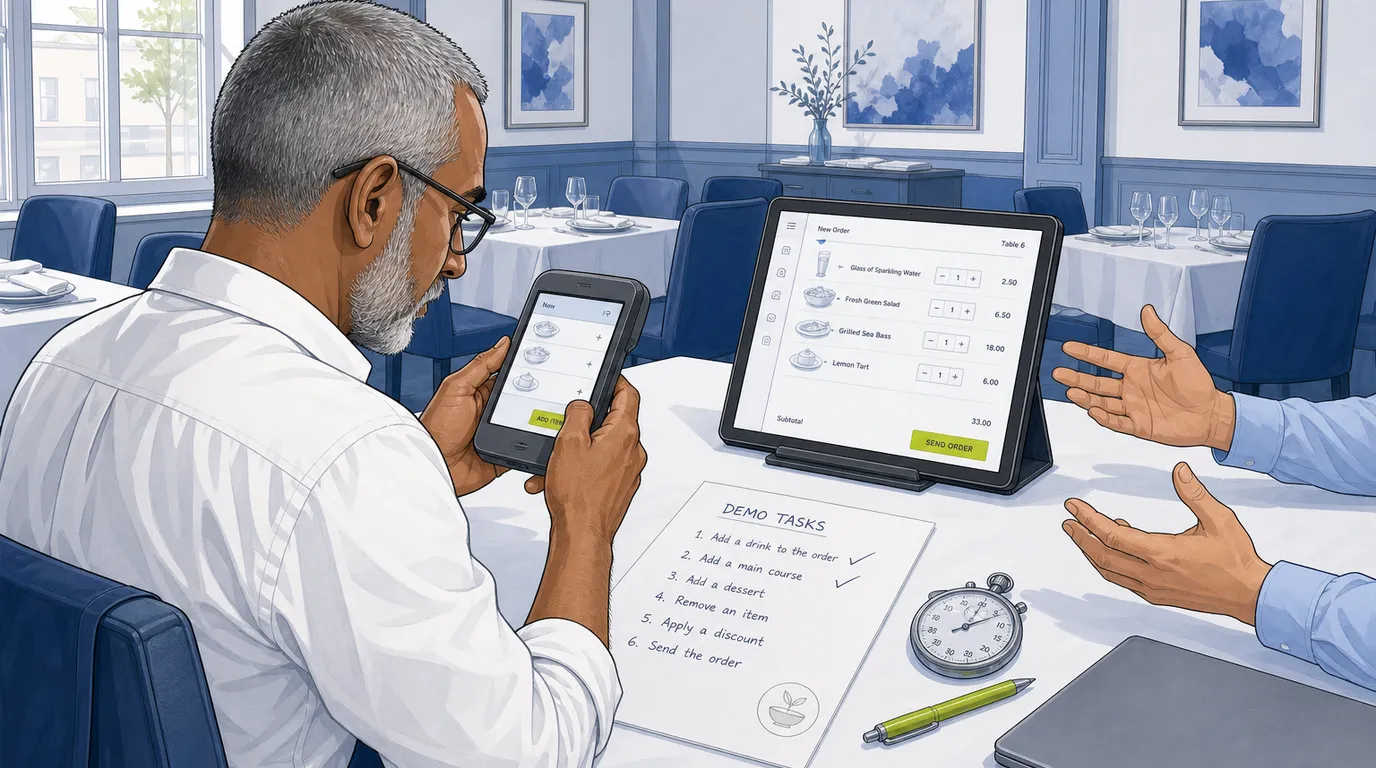
Then send the tasks. Eight is plenty, and they should map to the frequency column in your notebook rather than to anything a salesperson would choose:
1. Take a four cover order with two modifiers and the mains held back
until I say go.
2. Ten minutes later, add two drinks to that table without starting a new
tab.
3. Split that bill three ways: one guest pays cash, one pays card, one
goes on a company account.
4. Void a main that has already gone to the kitchen, and show me exactly
what the kitchen sees when you do.
5. Apply a twenty percent discount to one item only, with a reason code,
as a supervisor.
6. Change the price of a wine by the glass right now, and show me it
landing on a handheld and a fixed terminal.
7. Pull yesterday's sales broken down by server, then by category, without
exporting to a spreadsheet.
8. Run the end of day, then find the transaction responsible for a twelve
unit cash difference.
Time each one, roughly. You are not building a benchmark, you are creating a record so that the fourth demo can be compared to the first honestly instead of by vibe.
And then ask the question that reveals more than the other eight combined: can I hold it and do task two myself? Take the handheld. Add the drinks. If the software is good you will manage it without instruction in under a minute. If it is not, you will feel it in your hands immediately, which is the entire point. A vendor who will not hand over the device has given you a data point worth more than the demo.
What to watch while they drive
Count taps. That is the whole discipline. For each task, count the taps on the path your staff will take three hundred times a shift, and write the number down. Three taps versus six to add a round of drinks does not sound like a difference worth negotiating over until you multiply it by a busy Saturday, at which point it is roughly nine hundred extra touches and a slower bar.
Listen for the workaround tell. It sounds like "you'd just" and it arrives mid-sentence: you would just back out to the floor plan, you would just add it as a miscellaneous item, you would just run that one from the back office. Every "you'd just" is a small tax your staff pay forever. One or two is normal. Five in a forty minute demo is a pattern.
Never ask "can it." The answer to "can it" is yes, always, from everyone, and it is not even a lie most of the time, because with enough configuration and a workaround most systems can eventually do most things. Ask "show me." Then watch whether they show you or tell you.
Notice the speed of the screens themselves. Demo environments run on databases holding forty products and last week's sales. Ask what the system feels like with three years of transactions in it, and ask to see a real customer account rather than the sandbox if they will allow it. A screen that takes four seconds to load is a screen your staff will stop using.
Separate live from roadmap, firmly and in writing. Anything described as "coming in the next release" should be treated as absent, because sometimes it is, and if it genuinely matters to you then it belongs in the contract with a date attached rather than in your memory of a conversation.
One more thing worth watching: what they skip past quickly. If reporting gets ninety seconds and the payment screen gets twenty minutes, that ratio is telling you where the product's attention has gone.
Run one real service before you sign
A demo tells you what the software can do. A pilot tells you what your staff will actually do with it, which is a different question and the only one that matters.
Ask for a trial on real hardware, in your venue, during a real service. Some vendors will say yes. Some will offer a sandbox instead, which is worth much less but still worth having. If nobody will pilot, the fallback position is the shortest term available with a defined exit, and you should price the risk accordingly.
Two rules make a pilot useful. Run it on a mid-week service rather than your quietest night, because a Tuesday with thirty covers hides everything you are trying to find. And give it to your most sceptical server, not your most enthusiastic one. The sceptic will find the friction in an hour and tell you about it without softening. The enthusiast will make it work through sheer goodwill and report back that it was fine, which teaches you nothing.
Instrument three things and no more. How long a typical order takes from first tap to sent, measured with a phone. How many times staff had to ask somebody for help. And whether the till balanced at the end. That third one catches an entire category of problem that never appears in a demo, and if the numbers do not reconcile cleanly you will want to understand the Z report the system produces before you commit to living with it.
Debrief the same night or the next morning. Not the following week. The specific, useful complaints fade within about a day and get replaced by a general impression, and general impressions are what you were trying to avoid.
Score it before you see it
Build your scorecard before the first demo. This is not bureaucracy, it is protection against yourself.
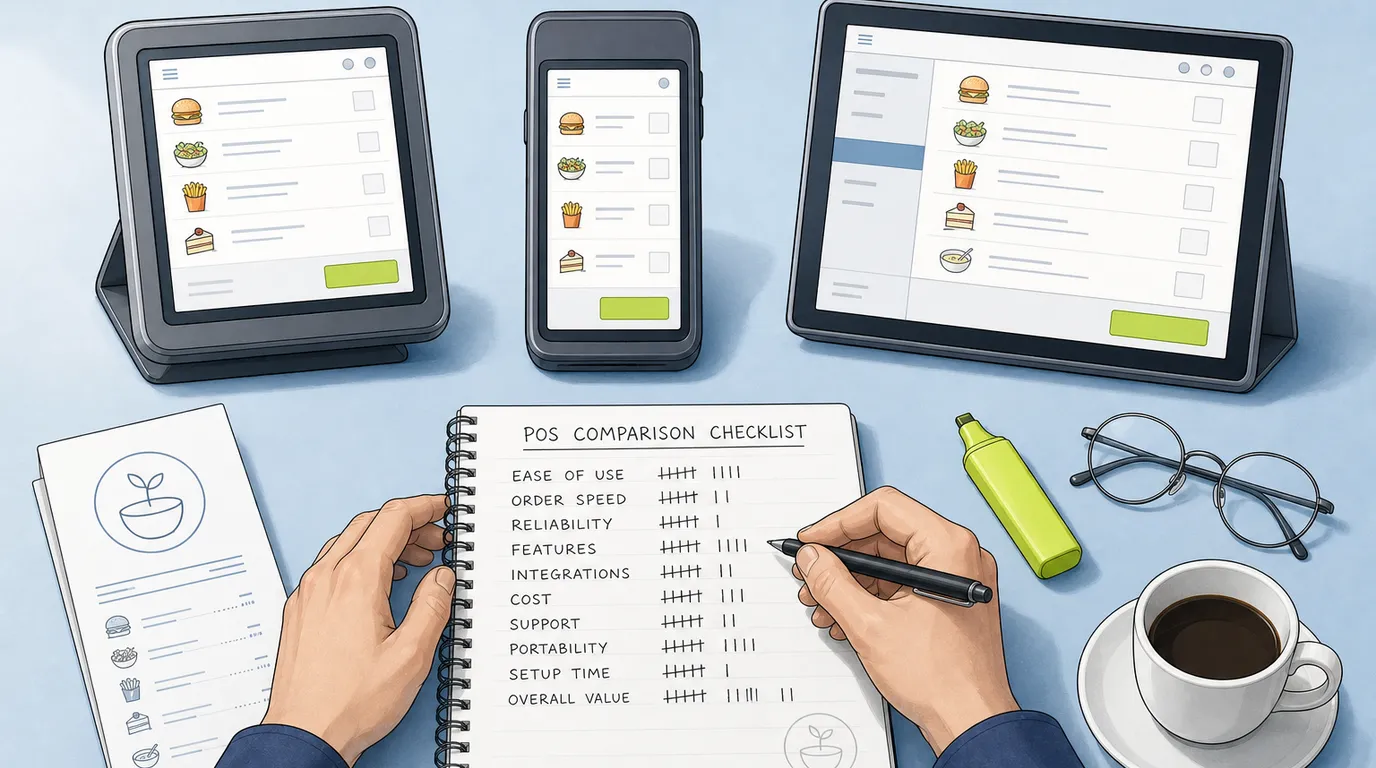
Take the ten items from your notebook, assign each a weight out of a hundred based on that frequency column, and add rows for the constraints that are not about daily use: offline behaviour, the integrations you named, support responsiveness, exit terms. Total the weights to a hundred before you have met anyone. Then score each candidate one to five per row, multiply, add up.
The number is not the point. The point is what happens when the arithmetic disagrees with your gut, which it will, usually because one salesperson was noticeably more helpful than the others or one interface was noticeably prettier. Both of those instincts contain real information. Responsiveness during a sales cycle is a decent predictor of responsiveness during an outage, and an interface your staff find pleasant is an interface they will learn faster. But those belong on the scorecard as weighted rows, competing fairly with everything else, rather than arriving at the end and quietly overturning it. If you are about to override your own criteria, that is fine. Write down the reason first. It is a good discipline, and about a third of the time writing it down is enough to reveal that the reason was not very good.
The reference call nobody makes properly
Ask every finalist for two references, and be specific about the two you want: a customer who has been live for three years or more, and one who switched in the last six months. The long-term customer knows what the software is like to live with. The recent one knows what the implementation was actually like, before the memory softens.
You will be handed happy customers. That is fine, because the trick is not finding an unhappy reference, it is asking questions a happy customer will answer honestly:
What took longest to get right? What did you have to change about the way you work to fit the system? When did you last contact support, and how long did it take to get a human who could help? Knowing what you know now, would you choose them again? And the best one, the question that gets you a genuinely candid answer almost every time: what do you still do on paper?
That last one works because it is not framed as a complaint. It sounds like a practical question about workflow, so people answer it practically, and what comes back is a precise inventory of the gaps between the marketing and the kitchen.
Spend twenty minutes outside the reference list too. Search the vendor's name alongside "outage" and "down". Find their status page and look at the history rather than today's green tick. Read the one and two star reviews specifically, not for the anger but for the pattern underneath it.
Read the contract for the exit
You will read the contract for what you are getting. Read it a second time for how you leave, because that is the reading that saves money in year three. Six things deserve a highlighter:
Term and auto-renewal. How long, and how many days' notice before it renews itself? Thirty day windows buried in clause fourteen are common and easy to miss.
Price escalation. Can they raise the subscription mid-term, and is there a cap? "In line with inflation" is a cap. "At the company's discretion" is not.
Your data. Can you export it yourself, without asking, in a format something else can read? Does the export include three years of transaction history and your customer records, or just a product list? This is the clause that decides whether your next migration takes a fortnight or a quarter.
Hardware ownership. Bought or leased, and does the equipment keep working if you leave? Some terminals are genuinely yours. Others become expensive paperweights the day the subscription stops.
Processing lock-in. If card processing is bundled, what is the early termination fee, and is it a flat figure or a multiple of projected volume?
An SLA with a remedy. Uptime of 99.9 percent is a marketing number unless something happens when it is missed. Look for the service credit, and note that a credit worth one day of subscription is not really a remedy for a lost Saturday.
None of this needs a lawyer for a single site. It needs an hour and a highlighter. The full picture of what the whole thing costs across four years, including the fees that do not appear on the pricing page, is set out in the POS system cost guide.
What changes with your format
The process above holds everywhere. The weights change a lot.
A high volume bar should weight speed and tab handling above almost everything, because a bartender who loses four seconds per round loses the queue by eleven. Test transferring a tab between bartenders mid-shift, and test closing eighty tabs at last orders.
Cafes and counter service live or die on the queue at 8:15am. Weight order entry speed, the physical layout of the button grid, and how quickly a card payment completes. Course firing and floor plans are close to irrelevant.
Full service dining needs the kitchen half to be as good as the front. Course timing, seat-level ordering, and what the pass actually sees during a rush all matter, which is why a kitchen display system deserves its own demo tasks rather than a mention. If you are still on printers, the KDS versus kitchen printer comparison covers the trade-off properly.
Multi-site groups should weight central control and consolidated reporting hard, and should test them with real numbers rather than the demo's three sites. If food cost is the pressure you are under, look closely at how the system handles restaurant stock management, because a POS that counts what you sold but not what you used leaves you doing the interesting half in Excel.
Hotels and resorts have a constraint that outranks the entire list: the guest often orders in one outlet and pays days later at a desk somewhere else. If the system cannot post a charge to a room folio reliably, nothing else it does will rescue the month end.
Who decides, and how to break a tie
Name one person who owns the decision. Committees do not choose the best system, they choose the one nobody objects to, and those are rarely the same thing.
Do bring the people who will use it into the demos. A server and a chef will spot things in ten minutes that you will miss in a month, and staff who were consulted before the change complain considerably less after it. Consultation, though, is not a vote. Collect what they saw, then decide.
If two candidates finish genuinely level, break the tie on support quality and exit terms rather than features. Feature gaps close, since every vendor is shipping. A support team that takes three days to answer during your evaluation will take three days to answer during your outage, and a contract you cannot leave will still be a contract you cannot leave in four years.
Your next three weeks
Work this Friday's service with a notebook and write down every wait, every unnecessary walk, every reach for paper. Add the frequency column on Saturday morning while it is fresh.
Next week, turn that page into your five constraints, then use them on the phone to cut a long list down to three. Send those three your real menu and your eight tasks, with the demo booked at least ten days out so they have time to build it.
Week three, run the demos with your own script in your hand and the device in your hands for at least one task. Score them the same day. Make the reference calls before you negotiate rather than after, then pilot the winner on a mid-week service with your most difficult server. If it survives that, and the contract lets you leave, sign it. Once the decision is made, the POS migration plan takes over from here.
Read next: restaurant POS system cost, switching POS systems, and restaurant management software.