Walk behind almost any host stand after close and you will find the same object: a rubber-banded brick of curled thermal paper. Signed merchant copies, mostly. Nobody reads them. Nobody has read them in years. They live in a box under the desk until the box is full, then they move to a different box in a room nobody likes going into, and eventually someone shreds the lot. Meanwhile the printer that produced them jams twice a shift and the paper reorder goes out every six weeks. Going paperless is not really a green initiative, whatever the marketing says. It is a maintenance problem you get to stop having, and a surprising amount of it disappears the moment your restaurant payment processing can take a signature on screen instead of on a slip.
The catch is that "paperless" gets sold as one switch, and it is nothing of the sort. A restaurant runs on six or seven separate paper habits. They exist for different reasons, they carry different risks, and each one has a different person who will argue with you about removing it. A few your restaurant POS system can kill outright this week. One or two need a conversation with your accountant first. At least one you should keep, and I will say which. What follows is the order I would work through them.
First, count what you are actually printing
Do this before you buy anything. For one full week, keep a tally sheet by each printer and mark every document that comes out of it. Not categories, actual counts. Most operators are wrong about their own ranking, usually by a lot.
A typical 80-seat neighbourhood restaurant, open six days, prints something like this in a week: roughly 900 guest receipts, 700 merchant copies with a tip line, 1,400 kitchen tickets across two stations, 40 supplier delivery notes, a stack of daily prep lists and line checks, six opening and closing checklists a day, and one Z report per till per night. The kitchen tickets are the biggest number by a distance and almost nobody guesses that. The merchant copies are the biggest pile by volume, because they get kept.

Write the counts on a whiteboard in the office where the team can see them. It does two useful things. It stops the project turning into an argument about opinions, and it gives you a baseline you can point at in three months when someone claims nothing changed.
What a roll of thermal paper really costs
The paper itself is cheap and that is exactly why it never gets examined. A case of fifty 80mm rolls runs somewhere around 35 to 45 dollars depending on your supplier and how much you buy at once. A busy dining room gets through two or three rolls a day across the front-of-house printers. Call it 400 dollars a year on rolls for a single-site restaurant. Nobody is going to restructure their operation over 400 dollars.
The real cost sits underneath. Thermal print heads wear out, and a station printer that lives in a service area with steam and grease in the air wears out faster than the spec sheet suggests. Budget 250 to 400 dollars per unit and expect to replace one every couple of years. Then add the jams. A jam during a Saturday push costs you a server standing at a printer for ninety seconds while their section waits, and it happens more than anyone admits because nobody logs it.
Add the storage. Add the shredding contract, if you have one, and you should have one if those slips carry card digits and signatures. Add the twenty minutes a manager spends every month hunting one specific signed slip because a guest disputed a charge. That last one is the expensive item, and it is the one digital capture actually solves rather than merely shrinks.
There is also a genuine health question that has changed procurement in some markets. Most thermal paper is coated with bisphenol A or its close cousin bisphenol S, which is why thermal receipts are not accepted in ordinary paper recycling in a lot of places, and why the EU restricted BPA in thermal paper back in 2020. Your team handles that coating for eight hours a shift. It is not a reason on its own, but it belongs on the list.
The merchant copy, and why it stopped mattering
Here is the thing most operators have not caught up with. The signed merchant copy exists because card networks used to require a cardholder signature as proof of presence for card-present transactions. That requirement is gone. Across 2017 and 2018, Mastercard, Visa, American Express and Discover all made signature capture optional for card-present transactions in the United States and Canada, and it had already been fading in markets that moved to chip and PIN much earlier. The chip in the card and the PIN in the terminal do the job the signature used to do, and they do it considerably better.
So if you are still printing two copies of every card transaction and filing one of them, you are maintaining a control that the card networks themselves retired years ago. That is worth sitting with for a second.
The reason it persists in restaurants specifically is the tip line. In the United States, the merchant copy is where the guest writes the gratuity, and the server keys it in later during tip-adjust. That is a real workflow, not a superstition. But it is a workflow with a digital replacement that is strictly better: an on-screen tip prompt at the point of payment, with the amount captured against the transaction immediately rather than transcribed from handwriting at 1am. If you have ever watched a closing manager squint at a 7 that might be a 1, you know why the transcription step is worth removing. The mechanics of how you present those prompts, and what it does to your averages, is its own subject, and worth reading up on before you change the defaults on service charges and tipping.
How on-screen signature capture actually works
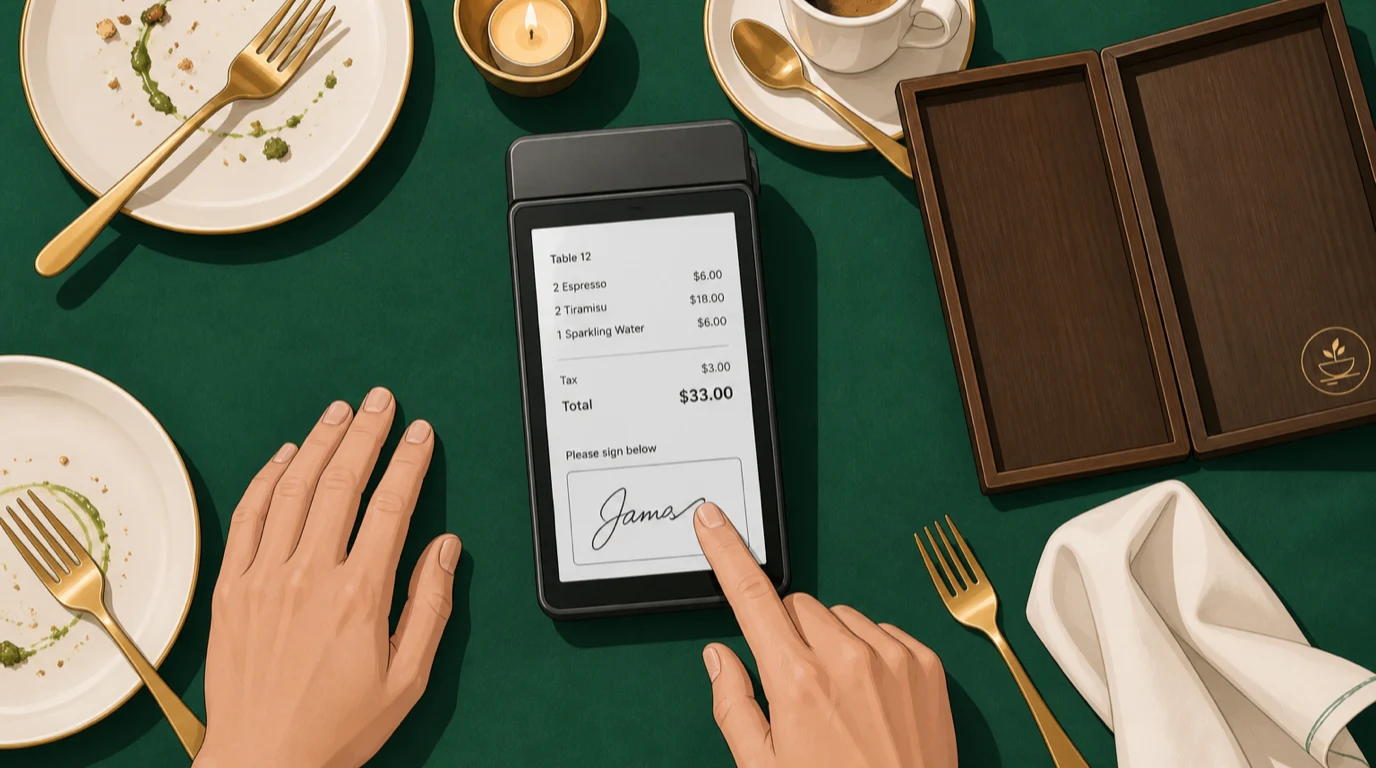
The flow is unremarkable, which is the point. The server brings a handheld or tablet to the table, the check total appears, the guest taps a tip option or enters an amount, and then signs with a fingertip in a box on the screen. The signature image is stored against that transaction along with a timestamp. No slip prints. No slip gets filed. If the guest wants a receipt they get it by email, by text, or by scanning a code, and if they want nothing at all they tap through.
Two details separate an implementation people accept from one they complain about. The first is speed: the signature step has to add seconds, not a screen-load. If the guest is watching a spinner while your Wi-Fi thinks about it, they will ask for the paper version and they will be right to. The second is the retrieval side. Capturing a signature is easy. Being able to find one particular signature four months later, in ten seconds, from a search on the last four digits or the table and date, is the part that earns the change. Ask any vendor to demonstrate the retrieval, not the capture. Anyone can demo the capture.
Practically, this only works if payment happens at the table rather than at a station. If your servers still walk cards to a fixed terminal, you have a different project to do first, and tableside ordering and payment is the piece that has to land before signatures on screen make any sense at all.
Does a digital signature hold up in a dispute?
This is the question that stalls the decision, so let me be direct about it. For a card-present transaction where the chip was read and the PIN entered, the signature is close to irrelevant to the outcome. The cryptographic evidence from the chip is what wins or loses that case, and it lives in the transaction record whether or not anybody signed anything.
Where a signature still carries weight is the transactions that are not straightforward card-present sales: a charge to a hotel room, a house account for a company that books your private room every quarter, a banquet invoice, a no-show fee against a card on file. In those cases you are not proving the card was present. You are proving a specific person agreed to a specific amount. A timestamped digital signature attached to an itemised check does that at least as well as a biro on a curling slip, and unlike the slip, it is still findable in November.
What actually determines whether you win these is evidence quality and response speed, and most venues lose on speed rather than on evidence. If you want the full picture of how the process works and what representment packages need to contain, we went through it properly in the guide to restaurant chargebacks. The short version: a digital record you can pull up in a minute beats a paper record you might find in an hour, because the response window is finite and the hour usually does not happen.
Kitchen tickets are the bigger pile
Remember the tally. Kitchen tickets outnumber everything else, often by two to one, and they are the least defensible paper in the building because the ticket is thrown away within twenty minutes of being printed. It has no evidentiary value, no retention requirement, and no guest ever sees it.
Replacing them with screens is a well-trodden path and the operational gains are not subtle: no reprinting a lost ticket, no ticket that fell behind the pass, item-level timing you can actually measure, and modifications that update on the screen instead of arriving as a second slip that contradicts the first. Allergen flags stop being a handwritten circle. Course timing stops being a shout.
The honest counterargument is that a paper ticket never crashes and a screen can. That is true, and it is why a sensible setup keeps a printer wired and configured as a fallback rather than ripping it out. We compared the two approaches in detail in KDS vs kitchen printer, including where paper genuinely still wins. If you are building the case internally, the kitchen display system pages will give you the specifics on station routing, which is the part that determines whether the kitchen thanks you or resents you.
Hotels: the signature that still means something
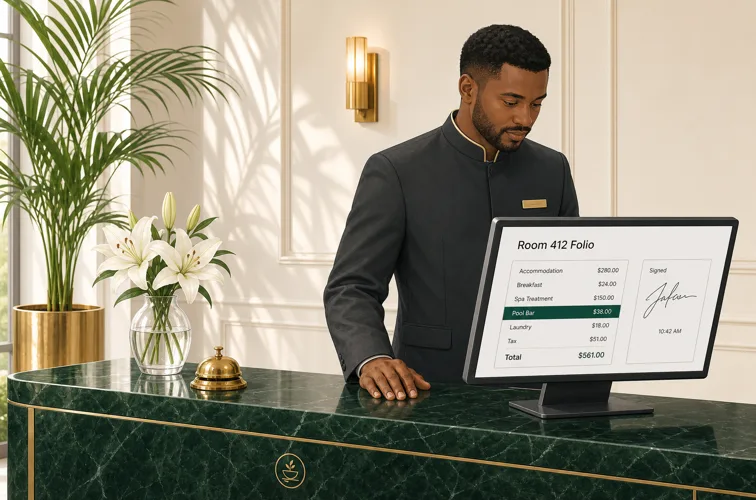
Hotel food and beverage is the one environment where the guest signature never stopped mattering, and it has nothing to do with card networks. When a guest signs for a poolside round or a room-service breakfast, they are not proving a card was present. They are authorising a charge to a folio they will not settle until Thursday. That signature is the only thing standing between your front desk and a lengthy conversation at checkout.
The traditional version of this is genuinely bad. A chit prints at the outlet, the guest signs it, the chit travels to the front office in a plastic tray at the end of the shift, and it sits in a drawer sorted by nothing in particular. When a guest queries a 42 dollar charge at 7am on a Sunday, someone goes through the drawer. Sometimes the chit is in the drawer. Sometimes it is in a different drawer, or in the outlet, or in a bin.
Doing it digitally changes the shape of the problem rather than just the medium. The guest signs on the handheld at the pool, the charge posts to the folio immediately, and the signed receipt attaches itself to that folio line. For properties running Prostay, that signed receipt is then visible directly in Prostay alongside the charge, so the front desk pulls up the signature during the conversation instead of after it. The guest can request a timestamped copy at any point, which tends to end the discussion quickly and politely. Operators running multiple outlets across a property will find the mechanics laid out on the hotel and resort F&B pages, and the broader integration picture in our piece on the hotel cloud POS system.
Receipts guests actually want
Do not assume everyone wants a digital receipt. Offer, do not impose. The pattern that works is a quick prompt with three options: no receipt, send it to me, print it. Put "no receipt" first, because a meaningful share of guests genuinely do not want one, and every one of those is a roll you did not burn.
For the ones who do want it, email is the default and it comes with a bonus: a receipt address is a marketing permission conversation you are already having at exactly the right moment. Do not abuse it. A tick box that is honest about what you will send beats a harvested address that generates a complaint, and the difference shows up in your restaurant email marketing results within a month. Guests who opt in from a receipt prompt are among the best-performing segments you will ever have, precisely because they chose it while the meal was still good.
One group needs handling with care. Anyone claiming a meal on expenses needs something their finance team will accept, and some of those teams are fussy in ways you cannot predict. Make sure your digital receipt shows the full itemisation, tax breakdown, your registered business name and tax number, and the date. If it does, it will pass. If it is a two-line summary, someone will ask you to print one, and you should just print it.
The paper you should not remove
Three things are worth keeping, and pretending otherwise is how these projects lose credibility with the team.
Food safety records are the first. Temperature logs, cooling records, cleaning schedules: these can absolutely go digital, and digital versions are better because they timestamp themselves and cannot be filled in retrospectively in the car park. But whatever you use has to satisfy your local inspector, and the sensible move is to ask the inspector directly before you switch rather than after. Some are entirely happy with tablets. Some want a physical record on the wall. Our overview of HACCP food safety covers what has to be evidenced either way.
The second is anything a signature makes legally binding: employment paperwork, supplier contracts, event agreements for a wedding with a five-figure deposit. Digital signing is perfectly valid for most of these in most jurisdictions, but "most" is doing work in that sentence, and a lawyer's opinion is cheaper than a contested contract. Event and catering work in particular runs on signed documents at several stages, which we get into in the piece on catering and private events.
The third is the fallback. Keep one working printer, keep paper for it, and make sure at least two people per shift know how to fall back to a manual process when the internet goes down. Not as a permanent workflow. As the thing that stops a bad afternoon from becoming a closed dining room.
How long you have to keep what
This is where operators get nervous, and the nervousness is mostly misplaced but not entirely. Two separate clocks run on a restaurant transaction and people conflate them.
The first is tax. Most jurisdictions want you to retain records supporting your returns for somewhere between five and seven years, and in almost all of them a digital record is explicitly acceptable, provided it is complete, legible and retrievable. Your accountant will know the exact figure where you trade. The important word is retrievable: a folder of scanned images nobody can search is not a record-keeping system, it is a liability with a filename.
The second clock is the card scheme dispute window, and it is much shorter. Depending on the scheme and the reason code, cardholders generally have 120 days from the transaction or the expected delivery date to raise a dispute, stretching considerably further in a small set of circumstances. In practice, if you can retrieve any transaction from the last eighteen months in under a minute, you are comfortably covered for disputes and you are relying on your accounting system for the tax horizon. Getting that pipeline clean between POS and books is a project of its own, and the restaurant accounting software guide walks through it.
A rollout that does not annoy your regulars
Sequence matters more than speed here. Do the kitchen first. Kitchen tickets are the largest volume, the change is invisible to guests, and it gives the team a win before you touch anything a customer can see. Give it three weeks with the printer still plugged in.
Then move to receipts, and only then to signatures. Turn the receipt prompt on at one till, or for one section, for a fortnight. You will learn things you cannot predict from a plan: which servers hand the device over awkwardly, whether your prompt wording confuses older guests, whether the tip screen is reading as pushy. Fix those before you scale, because the version of this that fails is the one where a regular of eleven years feels rushed by a tablet.
The staff script is worth writing down and it should be short. "Would you like your receipt by email, or shall I print one?" is enough. What you want to avoid is the accidental interrogation, where a guest gets asked for an email address, then a phone number, then whether they want to join the loyalty scheme, all while holding a coat. Pick one ask. Train it in the pre-shift, not the handbook, and check it a week later in the shift handover so it does not quietly drift back.
Expect a handful of guests to ask for paper anyway, forever. That is fine. The goal was never zero, it was the elimination of a filing cabinet.
What to look at after ninety days
Go back to the tally you did in week one and run it again for a week. That single comparison is worth more than any dashboard, because it is the same measurement taken twice.
Beyond the count, four numbers tell you whether it worked. Paper spend, obviously, which should be down 60 to 80 percent if the kitchen moved to screens. Average payment time at the table, which should be flat or slightly better and is a red flag if it grew. The number of receipt-related guest complaints, which should be near zero and is worth logging deliberately for the first month because it will not surface on its own. And the one that matters most: how long it takes a manager to retrieve a specific signed transaction from four months ago. Time it yourself, unannounced, on a Tuesday. If that number is not under a minute, the paper is gone but the actual problem is not.
Then pick the next habit off the tally and do it again. Prep lists and line checks are usually the easiest remaining win, and opening and closing checklists on a tablet stop the familiar situation where the closing list was signed at 4pm by someone who then went home.
Read next: Going cashless, the other half of this conversation and a harder call than it looks. PCI compliance for restaurants, because storing less card data is the quiet benefit of dropping printed slips. And building a restaurant tech stack, if this turned out to be the first of several changes.