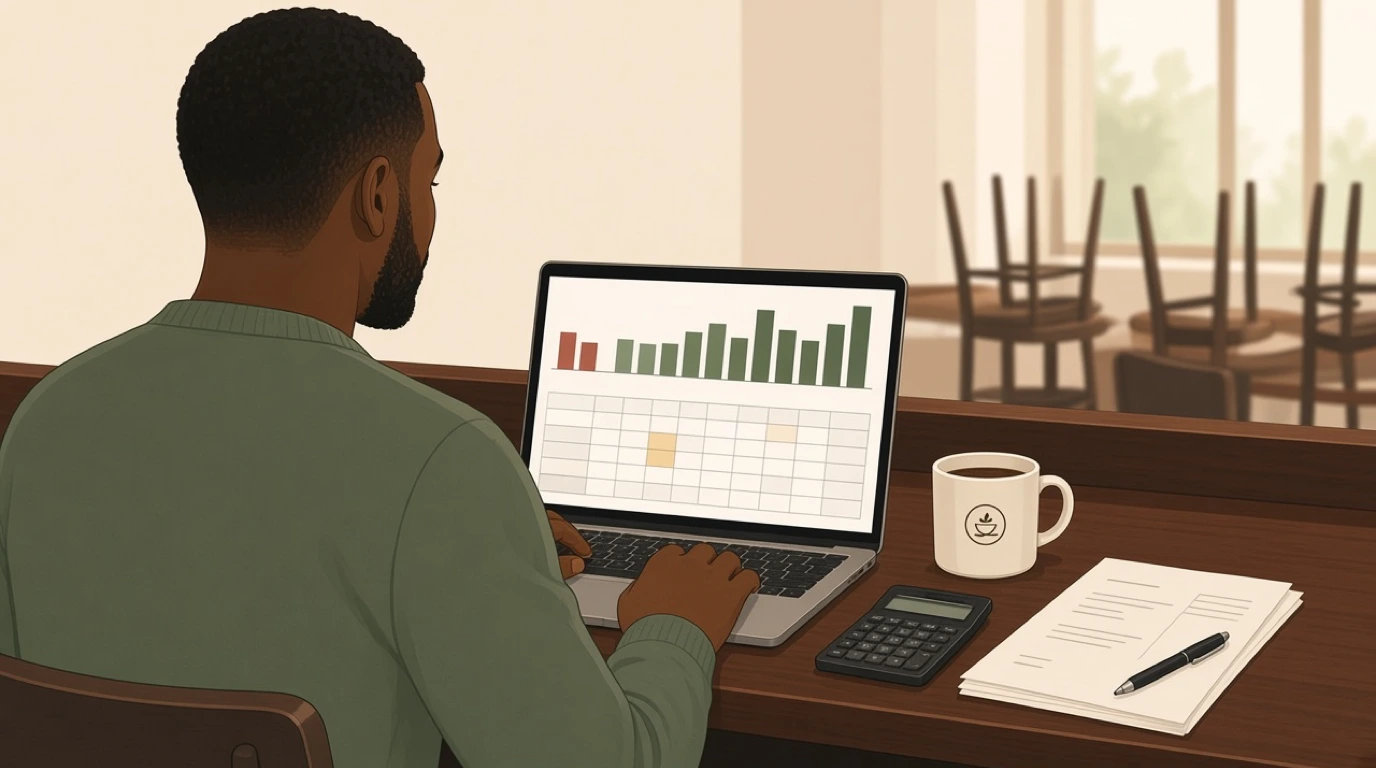
A restaurant can make a good profit over twelve months and still lose money in two of them. The 70-seat example in the template below earns 86,592 before tax in a year, and loses 6,806 in January and 7,026 in February. A restaurant budget is the document that shows you those two months in October, while there's still time to change the rota, plan the cash and decide whether to close on Mondays. It's the forward half of restaurant accounting: the books record what happened, the budget says what should.
Most independents don't have one. The numbers they'd need are already there: covers and average spend sit in the restaurant POS, wages in payroll, rent and utilities in the bank statements. What's missing is the hour it takes to put them on one sheet, month by month, and the habit of checking that sheet against what really happened.
Our view: a simple budget that you compare with actual results every month is worth far more than a detailed one that goes in a drawer in February. Twelve columns, about thirty lines and a monthly review that takes less than an hour. You can start from ours: the template is a free download, filled in with a worked example you replace with your own figures.
What is a restaurant budget?
A restaurant budget is a month-by-month plan of the sales, costs and profit a restaurant expects over the next year, used to set targets and spot problems early.
- Covers and average spend
- Food and drink cost
- Wages and payroll taxes
- Rent and running costs
- Profit for each month
It sits alongside the profit and loss statement, so every month's actual results can be compared line by line with what was planned.
A restaurant budget usually lives in one of three places:
- A spreadsheet, like the free template on this page
- The budgeting feature of a general accounting package
- A planning tool fed by sales data from the POS
In short: a restaurant budget turns next year into twelve monthly targets you can check against reality.
Restaurant budget vs forecast vs P&L
Three documents get mixed up, and each answers a different question. Most restaurants need all three, and they're built from the same numbers.
Budget
The plan for the year, set before it starts and mostly left alone. It says what you intend to sell and spend, month by month, and it becomes the yardstick for every later month.
Forecast
Your best current guess, updated as the year goes on. A weekly covers forecast drives the rota and the orders, and our article on restaurant sales forecasting covers how to build one. When the forecast and the budget start to drift apart, that gap is the early warning.
Profit and loss statement
The record of what actually happened, produced after each month closes. The restaurant P&L statement uses the same lines as the budget, which is what makes the monthly comparison possible.
Key distinction:
- The budget is the plan and changes rarely. The forecast is the expectation and changes weekly. The P&L is the result and never changes.
- An operating budget covers the running year. The opening budget for a new venue, with build-out and equipment, belongs with restaurant startup costs.
What goes into a restaurant budget
The lines follow the P&L, top to bottom. The shares below are common starting points for an independent full-service restaurant, not rules: a café runs a lower food cost, a cocktail bar a lower labour cost, and a city-centre lease can double occupancy.
| Section | What it includes | Common share of sales |
|---|---|---|
| Sales | Food, drink, events and retail | 100% |
| Cost of sales | Food and drink bought to sell | 28 to 35% |
| Labour | Wages, salaries, payroll taxes, benefits | 25 to 35% |
| Prime cost | Cost of sales plus labour | 55 to 65% |
| Operating expenses | Card fees, marketing, repairs, utilities, software | 10 to 15% |
| Occupancy | Rent, property charges, insurance | 6 to 10% |
| Net profit | What is left before tax | 3 to 10% |
Prime cost is the line to watch first, because food and labour together are the largest costs a restaurant controls week to week. The reasoning and the targets are in our article on restaurant prime cost.
Two lines are easy to forget. Card processing fees grow with sales, so they belong in the budget as a percentage, not a fixed amount. Depreciation and loan interest don't affect the till on any given night, but they're real costs of the equipment and the loan that paid for it, and leaving them out makes the profit line look better than it is.
The free restaurant budget template
The download is a working Excel file, not a picture of one. Every total, percentage and ratio is a formula, so changing one number updates the whole year. It has four sheets:
- Assumptions: days open, covers per day and average spend per cover, month by month, plus your food cost, drink cost, payroll tax and card fee rates.
- Budget: twelve months of sales, cost of sales, labour, operating costs, occupancy and profit, with a year column, a share of sales for every line and the key ratios at the bottom.
- Budget vs actual: choose a month, type in the actual figures from your P&L, and see the variance in money and in percent for every line.
- How to use: the steps below, in short.
Yellow cells are inputs; everything else calculates. The PDF prints the filled-in example on one landscape page and a blank monthly review sheet on a second. Here's the example restaurant's year, from the Budget sheet:
| Line | Year | % of sales |
|---|---|---|
| Food sales | 636,468 | 70.4% |
| Drink sales | 253,247 | 28.0% |
| Other sales (events, retail) | 14,400 | 1.6% |
| Total sales | 904,115 | 100.0% |
| Total cost of sales | 260,617 | 28.8% |
| Gross profit | 643,498 | 71.2% |
| Total labour | 332,640 | 36.8% |
| Prime cost (cost of sales + labour) | 593,257 | 65.6% |
| Total operating expenses | 102,466 | 11.3% |
| Total occupancy | 98,400 | 10.9% |
| Operating profit (EBITDA) | 109,992 | 12.2% |
| Net profit before tax | 86,592 | 9.6% |
The example is a 70-seat restaurant with a bar, open six days a week, with an average spend of 30 to 35 per cover depending on the season. The figures are illustrative and carry no currency: replace them with your own and the template works the same in euros, pounds or dollars.
How to build a restaurant budget
The order matters more than the detail. Build sales from covers, then the costs that follow sales, then the costs that don't.
1. Start from covers, not from a sales figure
Take last year's covers by month from your POS reports and adjust for what you already know: a new terrace, roadworks, a competitor opening on the corner. Multiply covers per day by the days you'll be open each month. Starting from a round sales target, such as "a million this year", gives you a number with nothing under it.
2. Price the average spend
Split it into food and drink per cover, because the two carry different costs. Use last year's figures and add any price rise you've decided on, from the month it takes effect. In the example, food spend goes from 22 to 23 per cover in September after a menu change, and December runs higher on both food and drink. If prices haven't moved in a while, our article on menu pricing strategy covers how to raise them.
3. Set cost of sales as a share of sales
Food and drink cost follow sales, so budget them as a percentage of each. Take the rate from your menu costing, not from last year's P&L, or a year of waste and over-portioning becomes the target. The formula and what moves it are in our article on food cost percentage.
4. Build labour from the rota
Labour doesn't follow sales automatically, which is exactly why a budget is useful. Cost the rota you plan to run in each month: kitchen, front of house and management, then add payroll taxes and benefits as a percentage of wages. The labour cost calculator helps check a week before you copy it across twelve months.
5. List fixed costs from contracts and bills
Rent, insurance, software, accountancy and loan repayments are in contracts; utilities, repairs and cleaning are in last year's bank statements. Enter them month by month where they vary, such as heating in winter, and flat where they don't. Add depreciation for equipment and the fit-out, and the interest on any loan.
6. Check the ratios, then the bad months
Look at the year first: prime cost, labour as a share of sales, net margin. Then read across the twelve columns for the months that lose money, because the annual total hides them.

Here's what step six finds in the example. Over the year the restaurant turns 904,115 of sales into 86,592 of profit before tax, a net margin of 9.6%, with prime cost at 65.6% and labour at 36.8%. Those are healthy annual figures. The monthly columns tell a different story:
| Line | January | July | December |
|---|---|---|---|
| Covers | 1,820 | 2,808 | 2,800 |
| Sales | 54,600 | 89,952 | 102,500 |
| Labour | 26,880 | 29,040 | 30,480 |
| Labour % of sales | 49.2% | 32.3% | 29.7% |
| Prime cost % | 78.6% | 61.0% | 57.6% |
| Net profit | -6,806 | 16,153 | 23,448 |
January has 35 percent fewer covers than July, but the kitchen rota is the same, so labour climbs to almost half of sales. Most of the rest of the January loss is fixed: rent, management salaries, insurance and depreciation cost the same in a quiet month as in a busy one. There are three honest responses. Cut one part-time front-of-house shift pattern in January and February, about 1,440 a month with payroll taxes, which takes the January loss to 5,366. Close on Mondays in the two slowest months, if the Monday covers don't pay for the staff and the energy. And plan the cash: December's profit of 23,448 covers both losses with about 9,600 to spare, as long as it's still in the bank in January.
That last point is why a budget is worth more than its annual total. The question isn't whether the year is profitable. It's which months aren't, and what you'll do about them before they arrive. To see how far sales can fall before a month stops covering its costs, run your figures through the break-even calculator.
Setting targets your team can hit
A budget only becomes a management tool when each line has an owner and a target they believe in. Targets nobody believes in get ignored by March.
Give each line to one person. The head chef owns food cost and kitchen wages, the bar manager drink cost, the general manager front-of-house labour and the operating costs. The owner owns rent, the loan and the profit line.
Set rates the menu supports. A food cost target of 28 percent on a menu costed at 32 percent is wishful thinking. Either re-cost the menu, change portions or prices, or budget the real rate.
Budget hours, not just money. Kitchen and floor managers think in shifts. Turning the monthly labour budget into hours per week, by day, gives them something they can plan against, and the method is in our article on restaurant staff scheduling.
Keep a contingency. Repairs come in lumps: a fridge compressor, a dishwasher pump, a leak above the bar. A steady monthly amount for repairs, even in a month when nothing breaks, stops one bad week from wrecking a quarter.
Agree it once, then leave it. The budget is the yardstick. If it's rewritten every time something goes wrong, nothing can be measured against it. Changes belong in the forecast; the budget changes only when something permanent happens, like a new lease or a second site.
The monthly budget vs actual review
The budget earns its keep once a month, in a short meeting after the books close. Put the actual P&L next to the budget and go down the lines.

Close the month quickly. A review in the second week of the next month can still change the month after. A review in week six is history. Sales and card payments should come straight from the POS, and supplier invoices need to be in before the month is closed, or food cost will look low one month and high the next.
Look at percentages and money together. Food cost can be over budget in money simply because sales were higher. Food cost as a share of food sales tells you whether the kitchen did anything differently.
Investigate only what's material. In the template, anything more than 5 percent or a few hundred off budget gets a reason written next to it. Everything else is noise.
Here's a March review for the example restaurant. The budget expected 66,420 of sales and a profit of 1,350. Actual sales came in at 63,900, food cost at 15,890 and labour at 27,600, and the month lost 2,462. Three numbers explain the gap of 3,812. Food cost ran at 33.9 percent of food sales against a budget of 31, about 1,350 too much on what was sold. Labour was 720 over, from overtime while two cooks were off sick, in a month when covers were already below plan. The rest came from 2,520 of sales that never arrived. The chef finds the food cost problem in a week: a new supplier's prices went into the menu costing but not into the portions. April's rota is built from the covers forecast rather than from the budget.
The ratios you track in the review are the same ones that belong on a weekly dashboard, and our article on restaurant KPIs covers which to watch between reviews. For a quick check of a single month's figures, the P&L calculator lays them out line by line.
What to look for in a restaurant budget template
Most free templates are a list of expense lines with a total at the bottom. These are the things that make one usable for a real restaurant.
1. Sales built from covers and spend
A template that starts with a blank sales cell invites a guess. One that builds sales from days open, covers per day and spend per cover makes you test every assumption, and makes it obvious what a quieter month does.
2. Twelve monthly columns
An annual budget divided by twelve hides seasonality, and seasonality is usually where the loss-making months are. The template should hold a different figure for each month on every line.
3. Costs that follow sales as percentages
Food cost, drink cost and card fees should be percentages of sales, so changing the covers changes them too. Fixed costs should be amounts. A template that treats everything as a fixed amount breaks the moment sales move.
4. Prime cost and the key ratios
Food cost percent, labour percent, prime cost, average spend and net margin, by month and for the year. These are the numbers you'll talk about in every review, so they should calculate without anyone building them.
5. A budget vs actual sheet
Without one, the budget is a planning exercise and nothing more. The comparison sheet should take actuals line by line, show the variance in money and percent, and leave space for the reason.
6. The same lines as your P&L
If the budget says "kitchen wages" and the accountant's P&L says "wages and salaries", every review starts with a reconciliation. Rename the template's lines to match your accounts, or ask your accountant to report in the template's lines.
7. Inputs separated from formulas
Coloured input cells and calculated cells you don't touch. When three people edit a spreadsheet over a year, a typed number over a formula is the most common error, and the hardest to spot.
Common restaurant budget mistakes
The same handful of errors turns up in most first budgets. Each one makes the year look better than it will be.
Copying last year and adding 5 percent. Last year's sales included last year's one-offs, and costs rarely rise by the same percentage as sales. Build from covers and spend instead, then compare with last year as a check.
Budgeting food cost from the P&L. If last year ran at 34 percent because of waste, budgeting 34 percent turns the waste into the plan. Start from the costed menu.
Labour as a percentage of sales. It's a fine target, but wages are paid by the hour, not by the percent. A labour line that falls automatically in January, while the rota stays the same, is a loss the budget has hidden.
Forgetting the irregular costs. Annual insurance, licence renewals, a deep clean, the accountant's year-end bill, a new set of glasses. Spread them across the months or enter them where they fall, but don't leave them out.
No owner's pay. If the owner works full time in the business, a market salary belongs in management labour. Otherwise the profit line includes a wage, and the business looks more profitable than it is.
Treating profit as cash. A month can be profitable and still leave the account empty, because of a VAT bill, a loan repayment or a large stock order. The budget plans profit; plan the cash separately, month by month.
Never comparing it with actuals. The most common mistake of all. A budget that isn't reviewed monthly is a forecast nobody checked.
How to adapt a restaurant budget to your venue
The structure stays the same everywhere. What changes is which lines carry the weight and where the risk sits.
Full-service restaurants
Labour is the largest line and the least flexible, because a full kitchen brigade and floor team are needed whatever the covers. Budget the rota by month and watch the quiet months closely, as in the example. Covers per seat and table turns are the sales drivers worth modelling for full-service restaurants.
Casual dining and bistros
Higher volume, lower spend and more variation between lunch and dinner. Split sales by daypart if the two behave differently, because a slow lunch and a busy dinner average out to a number neither service recognises. That pattern is typical in casual dining and bistros.
Bars and nightclubs
Drink sales lead and drink cost is lower, but security, music licensing and late-night staff add lines a restaurant doesn't have. Budget by trading night rather than by day, and keep events as their own sales line. The venue side is on our bar POS system page.
Takeaway and delivery
Platform commissions belong in cost of sales or as their own line, and they change the margin on every order. Budget sales by channel, because a delivery order at a 25 percent commission and a collection order are different businesses. See how channels come together in a takeaway POS system.
Food trucks and cloud kitchens
Food trucks budget by event and pitch fee, with fuel and generator costs that a restaurant doesn't carry. Cloud kitchens running several brands need a sales line per brand and a shared cost base. Both are covered on our page for food trucks and cloud kitchens.
Hotels and resorts
Each outlet gets its own budget, rolled into one for the hotel, with room service, banqueting and staff meals on separate lines. Occupancy forecasts from the rooms side drive covers, so the F&B budget starts from the hotel's budget. That's routine in hotel F&B.
Where Tableview fits, and where it does not
Tableview doesn't build your budget. The template on this page does that, or your accountant's planning tool. What Tableview provides is the other half of the comparison: the actual numbers, every day, without anyone typing them in.
Every sale from the POS posts to the ledger automatically, with card payments reconciled by method, and the accounting module tracks margin and cost ratios in real time, with week-over-week trends. Expenses are categorised automatically, receipts can be scanned, and recurring costs such as rent and software follow templates. P&L, balance sheet and cash flow reports come as daily, weekly and monthly summaries, consolidated across locations, with a tax-ready export for your accountant. Supplier invoices are matched to purchase orders, so food cost lands in the right month, and stock management calculates food cost per dish from the recipes. In casual dining, schedules are built from historical sales, and labour cost is projected against forecast revenue by daypart.
An Na, Owner of A&D Holiday Inn in Li Jiang, China, described the problem on our customer reviews page: "We've had major losses in the previous years because we kept sales records in excel files. After we switched to Tableview, we saw a 32% increase in our revenue likely from closing those financial leaks." A spreadsheet is a good place for a budget. It's a poor place for the actuals.
Where something else is the better choice:
- If you want budgets, rolling forecasts and scenarios in one planning tool, a dedicated financial planning product or your accountant's software will do more than a spreadsheet, and more than Tableview.
- If your accountant already produces monthly management accounts in your budget's lines, keep that process and use the template only for the plan.
- A group with dozens of sites and a finance team needs consolidated budgeting built for that scale.
Key takeaways
- A restaurant budget sets monthly targets for sales, costs and profit over the coming year, so each month's results can be checked against a plan.
- Build sales from covers and average spend, costs that follow sales as percentages, and labour from the rota you plan to run.
- Read the monthly columns, not just the year: a profitable year can hide two or three loss-making months.
- Prime cost is the first ratio to check; in many full-service restaurants it sits between 55 and 65 percent of sales.
- Review budget against actual every month, within two weeks of closing, and explain anything more than 5 percent off.
- Keep the budget fixed for the year and put changing expectations in the forecast.
Read next: a restaurant chart of accounts for the lines your budget and books share, restaurant cash flow management for planning the money behind the profit, and restaurant profit margins for what the bottom line should look like.