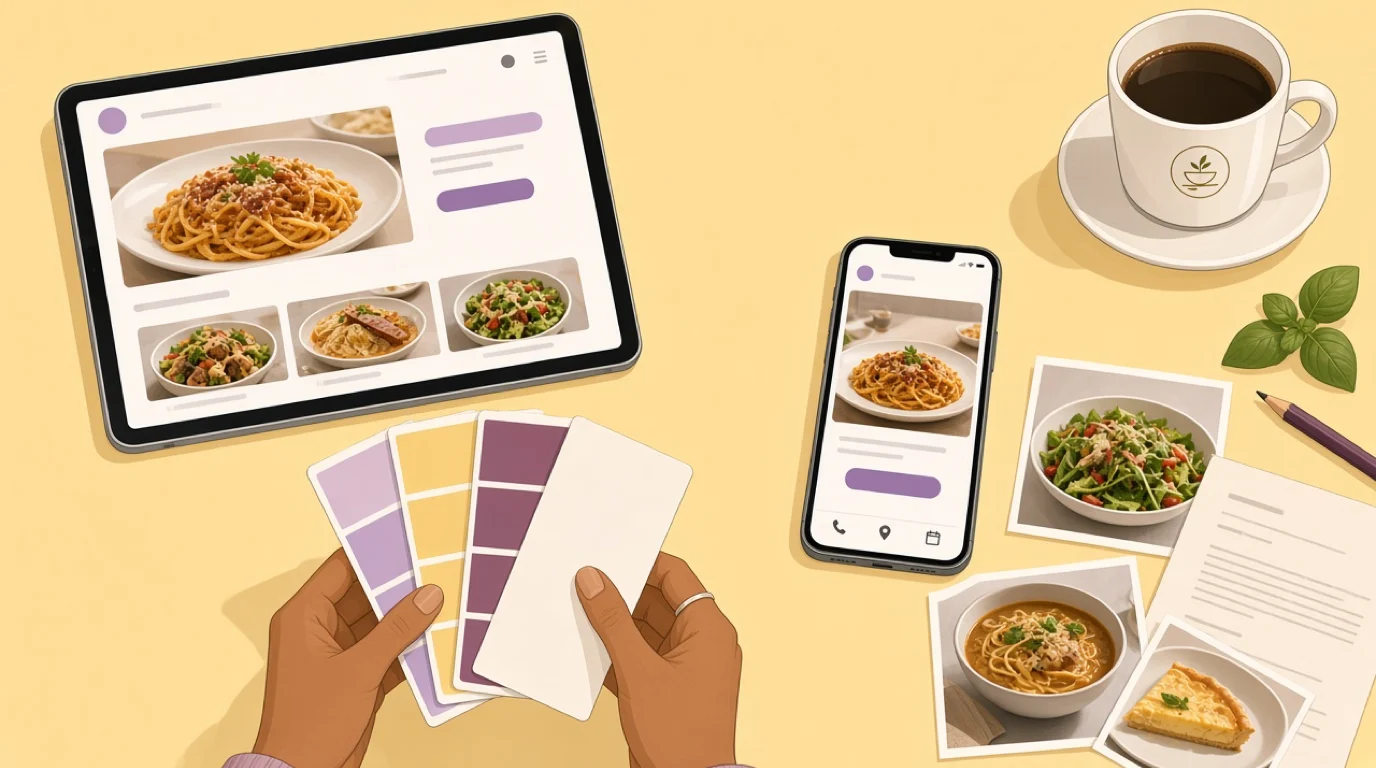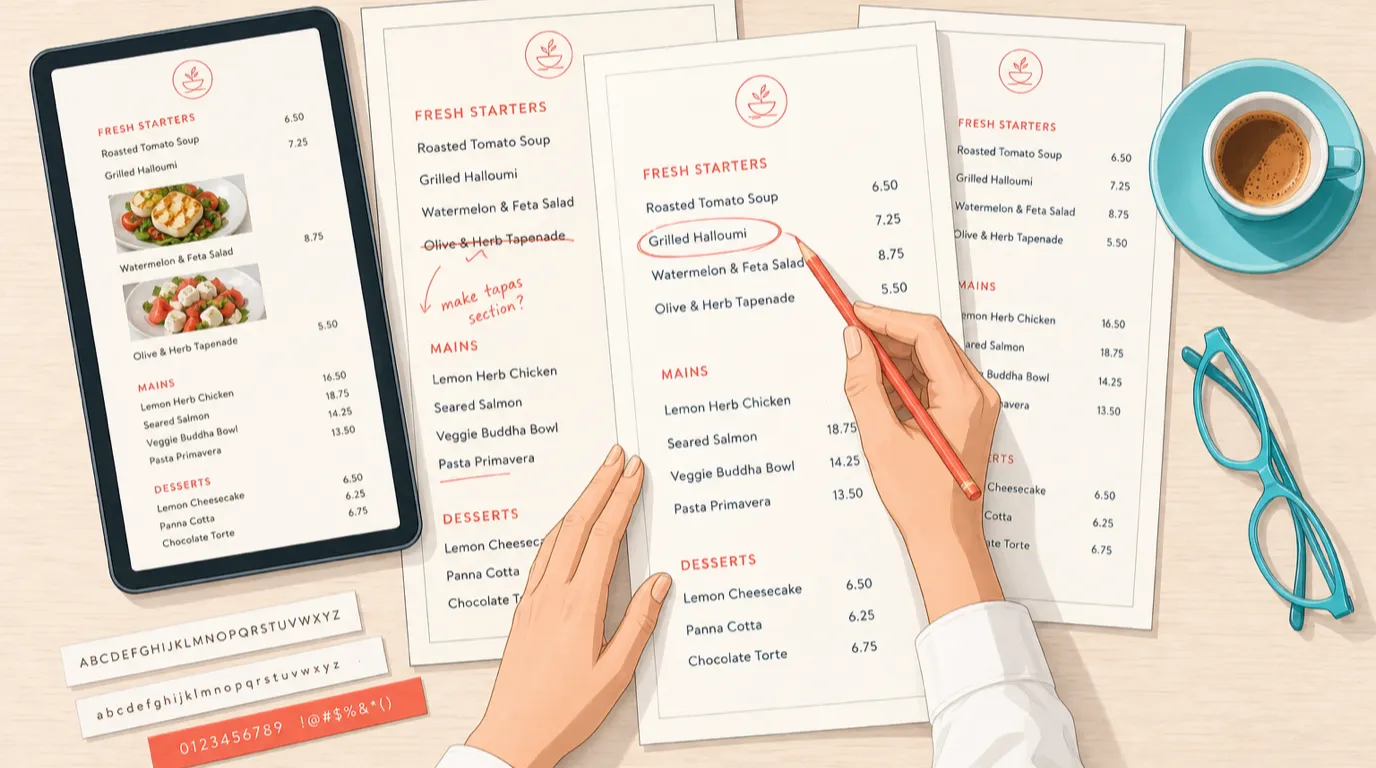
For most people deciding where to eat tonight, your Google Business Profile is your restaurant. They will see your photos, your rating, your hours and your busiest times, they will tap directions or call or order, and they will never once load your website. That is not a failure of your website; it is how local search works now. What it means practically is that the profile deserves the attention most operators give to their homepage, and that the handful of fields pointing back at a site you actually control are worth more than all the rest, which is the first argument for having a restaurant website you can edit yourself rather than one you have to email somebody about.
This is the operator's version rather than the agency version. Which fields decide the searches you turn up in, which two links are worth real money, what genuinely changed when Google retired the Q&A section, and what to do first if the profile has been sitting untouched since you opened. Where it touches ordering, it assumes you would rather own the transaction than rent it, which is what your own e-menu and mobile ordering is for. Two notes before starting: field availability varies by country, so check what your own dashboard offers, and this is the deep version of one section in our broader guide to restaurant local SEO.
What the profile actually controls
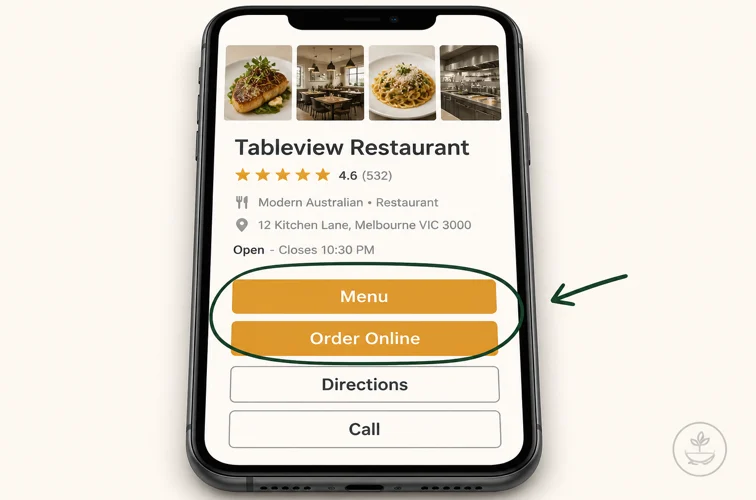
Worth being concrete about the surface area, because it is larger than people assume. Your profile drives your position in the local pack, the three-result map block that sits above the ordinary blue links on almost any "near me" search. It drives the panel that appears on your own name, which is what people see when they have already decided to look you up and are checking you are still open. It supplies the photos, the review snippet, the busy-times graph, and the buttons for directions, calling, the menu, ordering and booking.
Google sorts local results on three things, and it is useful to know which you can move. Distance between the searcher and you, which you cannot change. Relevance, meaning how well your profile matches what was typed, which you control almost entirely through categories and attributes. And prominence, meaning how well known and well regarded you appear, which comes from reviews, from behaviour on your listing, and from the rest of your web presence. Two of the three are yours to work on, and the work is free.
The reason this outranks most marketing you could pay for is the intent. Somebody searching "pizza near me open now" has decided to spend money in the next hour. There is no cheaper demand in the business, which is why we treat it as the first lever in how to increase restaurant sales rather than an afterthought.
Categories decide which searches you appear in
If you fix one field, fix this one. Your primary category is the strongest single signal for relevance, and it is the difference between appearing for "ramen" and appearing for nothing in particular.
Be specific. "Restaurant" is a category, and it is close to useless, because it describes you the way "shop" describes a butcher. "Ramen Restaurant", "Neapolitan Pizza Restaurant", "Seafood Restaurant", "Wine Bar", "Brunch Restaurant" all put you in a narrower field where you can actually place. You get one primary category and up to nine additional ones, and the additional slots are where operators leave value on the floor. A dining room that also does takeaway, delivery, brunch, private events and a strong bar has five more categories to claim, each one a set of searches it becomes eligible for.
Two cautions. The additional categories must be genuinely true, because a category implies capability and Google reads engagement signals; claiming "Caterer" when you have never done an event produces clicks that bounce, which helps nobody. And your primary category should be what you most want to be found for rather than what is most technically accurate, since a bistro that makes its money on brunch may do better led by brunch. If you are unsure which describes you, writing out a restaurant business plan is a decent forcing exercise, and if you do run events, claim it and then read catering and private events.
The two links that are worth real money
Almost every field on a profile keeps the visitor inside Google. Two of them send that visitor to a domain you own, and those two are where the profile stops being a marketing asset and starts being a revenue one.
The first is the menu link. Point it at a menu page on your own site, not at a PDF and not at a third-party host. A page you control loads on a phone, can be corrected in a minute when a dish changes, and earns the visit for your own domain instead of somebody else's. A PDF does none of that, which is one of the firmer opinions in our guide to building a restaurant website, and the general case for a live menu rather than a static file is in menu management and menu design.
The second is the ordering link, and this one has arithmetic behind it. Say you do $12,000 a month in takeaway through a marketplace charging 25 percent, which is $3,000 a month in commission. Move a quarter of that volume to ordering on your own site and you keep the roughly $750 of commission you would have paid on it, less payment processing of perhaps $75, so about $675 a month or $8,100 a year. Nothing was built and nothing was bought; a link was pointed somewhere better. That is the whole argument in POS with online ordering, and the honest view of what the marketplaces are worth is in third-party delivery. The same logic applies to the booking button, which should reach your own reservation system where you can.
What actually happened to Q&A
This is where most of the advice still circulating is out of date, and it is worth getting right because the old tactic was popular.
The sequence: Google discontinued the Business Profile Q&A API on 3 November 2025, then announced on 3 December 2025 that it was phasing out the public Q&A section in Maps, replacing it with an AI-powered "Ask" button. A customer now types a question and receives a generated answer instead of scrolling a list of previously asked ones. So if your playbook still says to seed your own profile with questions and answers to capture keywords, that tactic is finished, in the same way the chat feature ended in July 2024.
But the common claim that Q&A is simply gone is wrong in a way that matters. By Google's own account the section remains on the owner side: you can still answer questions there, and published answers continue to inform Google's understanding of your business and may still surface in Maps. What changed is the customer-facing experience, not the data. And note what the generated answer is built from, because that is the actionable part: your answers, and your reviews. Which means the way to influence what a machine tells a stranger about your restaurant is to keep the profile complete and to have reviews that mention real specifics, a theme we come back to in reviews and reputation management.
Photos are the field owners under-invest in
Photos do two jobs. They are a ranking and engagement input, and they are the actual decision most diners make, since people choose restaurants by looking rather than reading.
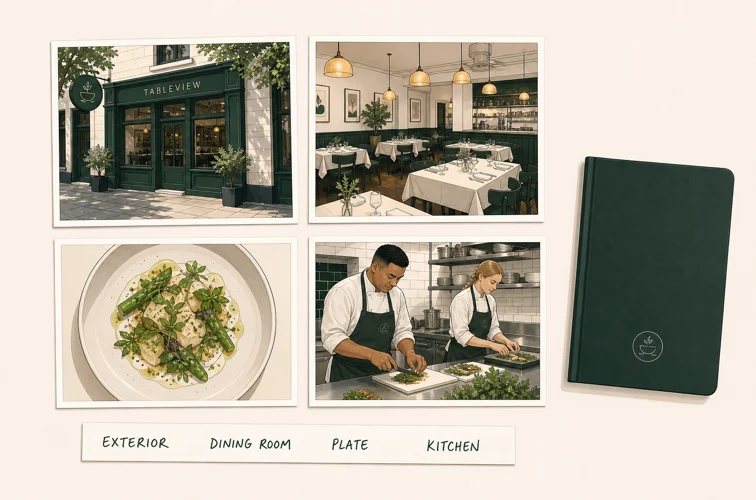
Cover four kinds and you will be ahead of most of your competitors. Exterior, enough that a stranger can recognise your door from the pavement, which sounds trivial and prevents a genuine share of missed arrivals. Interior, showing what the room feels like on a normal night rather than empty at four in the afternoon. Food, showing what people actually order rather than the one dish that photographs best. And team, because a face makes a business look real. Then add a new batch every month rather than uploading forty on a Tuesday and never returning, since freshness is part of what is being measured.
Two practical points. Authentic beats styled: phone photos in daylight near a window outperform anything that looks like stock photography, because they look like the meal a guest will get. And your dish photography earns its keep in several places at once, on the profile, on the menu, in social media and on your own site, so it is worth one good session rather than a permanent low-grade trickle. Photographing what sells rather than what is prettiest is also a small application of menu engineering.
Attributes are filters, not decoration
Attributes look like a tick-box exercise and function as a search filter, which makes them one of the higher-return ten minutes available on the platform.
When somebody filters for outdoor seating, wheelchair access, vegetarian or vegan options, dog friendly, good for groups, accepts reservations, serves breakfast, or has a car park, they are filtering on your attributes. Leave one blank and you are simply not in that result set, whatever else is true about you. Restaurants routinely miss dietary attributes in particular, which are exactly the filters used by people who have a constraint and therefore care more than average about finding the right place. If dietary requirements are a real part of your trade, the operational side of that is in allergen management, and the attributes should reflect what your kitchen can genuinely deliver.
Fill in everything true and nothing that is not. Attributes shape expectation, so a wrongly claimed one produces a disappointed guest and, before long, a review saying so. Go back through them whenever something physical changes, because a new terrace, a card-only policy or a step removed at the entrance all move attributes and none of them prompt you to update anything.
Hours, and the ones that quietly cost you trust
Ordinary opening hours are the field everyone fills in and then forgets, and the failure mode is specific: somebody travels to a closed restaurant, and that is the review you get.
Set your regular hours properly, then use special hours for every exception. Public holidays, the week you close in August, the Monday you shut for a private booking, the early close on Christmas Eve. Google prompts about upcoming holidays and it is worth answering the prompt, because a profile that says "hours might differ" is doing you damage at exactly the moment people are checking. If you take a seasonal closure or trade odd hours across a holiday stretch, plan it into the calendar the way you plan the rest of it, which is the discipline in our guide to the festive season.
If you serve distinct services at distinct times, set those separately too where the option exists, so a kitchen that stops at nine while the bar runs to one is described accurately rather than optimistically. Late-night venues suffer most from getting this wrong, since a guest arriving at eleven to find the kitchen shut is a specific and avoidable disappointment, which is worth reading alongside bar and late-night operations.
Posts are for the thing that is true this week
Posts are the one part of a profile that is supposed to change. They signal an active business, and they give you a slot on your own listing for whatever you actually want to sell right now.
The useful pattern is specific and current: this week's special, the new season's menu, an event with a date, a limited run of something, a bank holiday opening time. What does not work is the generic post that says you are open and the food is good, because it competes with nothing and says nothing. A post about a real occasion also does double duty, since a midweek event you are promoting anyway is precisely the material that fills a quiet night, which is the practical core of filling empty tables on slow nights.
On cadence, weekly is a reasonable target and monthly is the floor. Fortnightly done consistently for a year beats daily for three weeks followed by silence, which is the pattern almost everybody actually produces. Write it into somebody's job rather than leaving it to whoever remembers, and reuse the same material across your email marketing and social channels so one decision feeds three places. The wider structure of that is in restaurant marketing.
Reviews carry more weight than they used to
Reviews were always the main prominence signal. They now do a second job, because they are part of what generated answers are assembled from, which raises the value of what your reviews actually say rather than only how many stars they average.
That changes the ask slightly. A five-star review reading "great food" is worth less than a four-star review describing the tasting menu, the terrace and how well a birthday group was handled, because the second one contains the specifics a machine can match to a query. So when you ask, ask at the right moment and invite detail rather than a rating: what they ate, what the occasion was. Asking at all is the part most restaurants skip, and a restaurant CRM or a loyalty program gives you a legitimate way to reach the people most likely to say something kind.
Then reply to them, all of them, and quickly. A reply is public evidence that somebody is paying attention, and it is read by future guests far more than by the reviewer. Keep the negative ones short, unbothered and specific about what changed, because arguing in public has never once worked. The full method is in reviews and reputation management, and the upstream fix for most bad reviews is in customer service.
Keep your details identical everywhere
Your name, address and phone number should read the same character for character wherever they appear. This is dull and it is the kind of thing that quietly caps how well the rest of your work performs.
The problem is drift rather than error. You move to a new number and update the profile but not the old directory listing, the delivery platform, the booking site, the aggregator nobody remembers signing up to. Google sees several versions of you and becomes less certain which is right, and certainty is part of what it is ranking. Worse is the duplicate profile, which happens after a change of ownership or a rebrand, and which splits your reviews across two listings while sending some guests to a page that is wrong. If you find one, resolve it rather than ignoring it.
Check the profile itself every so often, because it is not only yours to edit. Google accepts suggested edits from the public and applies some of them without asking you, so hours, attributes, even a category can change because a stranger reported something in good faith and was wrong. Nobody tells you. A profile you last looked at in March may be describing a restaurant that no longer exists, which is the strongest argument for opening it once a month rather than treating it as a job you finished at launch.
Make the website itself agree, with the same details in the footer and marked up so machines can read them without guessing. The technical side of that sits in local SEO, and it is one more reason to be able to edit your own pages rather than raising a ticket, as covered in building a restaurant website.
What breaks when you have more than one site
Everything above assumes one restaurant. Multiple sites introduce failures that do not exist with one, and they tend to appear about a year in.
Each location needs its own profile, with its own address, its own phone number and its own reviews. The instinct to run one profile for the brand costs you the local pack in every neighbourhood you are not registered in. Then keep the categories and attributes consistent across locations where the offer is the same, so you are not accidentally strong in one suburb and invisible in the next because somebody filled the form differently.
The real failure at scale is ownership. Profiles get claimed on a manager's personal account, that manager leaves, and nobody can edit the hours. Own every profile under a business account that outlives individuals, keep a list of which locations exist and who administers them, and check them on a schedule, because a profile nobody owns is a profile nobody updates. If you are running several rooms, the coordination habits in food and beverage management transfer directly, and the case for one system across sites is in a single restaurant POS.
Measure it, and a first 30 days
The profile reports on itself, and the numbers worth watching are few. How people found you, split between your name and category searches, since growth in category searches is the only proof you are reaching people who did not already know you. What they did: calls, direction requests, website clicks, menu views, order and booking clicks. And which search terms surfaced you, which tells you whether your categories are landing.
Watch the actions rather than the impressions. Impressions flatter and vary with how busy the neighbourhood is; a direction request is a person deciding to walk to your door. Compare month over month rather than week over week, and expect changes to take a few weeks to show. Where it ends up is in covers and average check, and the numbers worth reviewing beside it are in restaurant KPIs.
A first month, if the profile has been neglected. Week one: claim and verify it if that is still outstanding, fix the primary category, add every true additional category, and complete every attribute. Week two: point the menu link at a page on your own domain and the order and booking links at your own systems, then fix hours and add special hours for the next three months. Week three: upload twenty-plus photos across the four types, and write the first post. Week four: ask ten recent guests for a review, reply to every existing one, and set a recurring calendar entry for a monthly photo batch and a weekly post. That is most of the value, it costs nothing but attention, and it is more than most of your competitors will do this year. Restaurant improvement ideas has more in the same spirit.
Read next: restaurant local SEO for the wider picture this sits inside, and how to build a restaurant website, since the two links that matter most on your profile both need somewhere good to land.